By Manoj Bhatt September 8, 2026
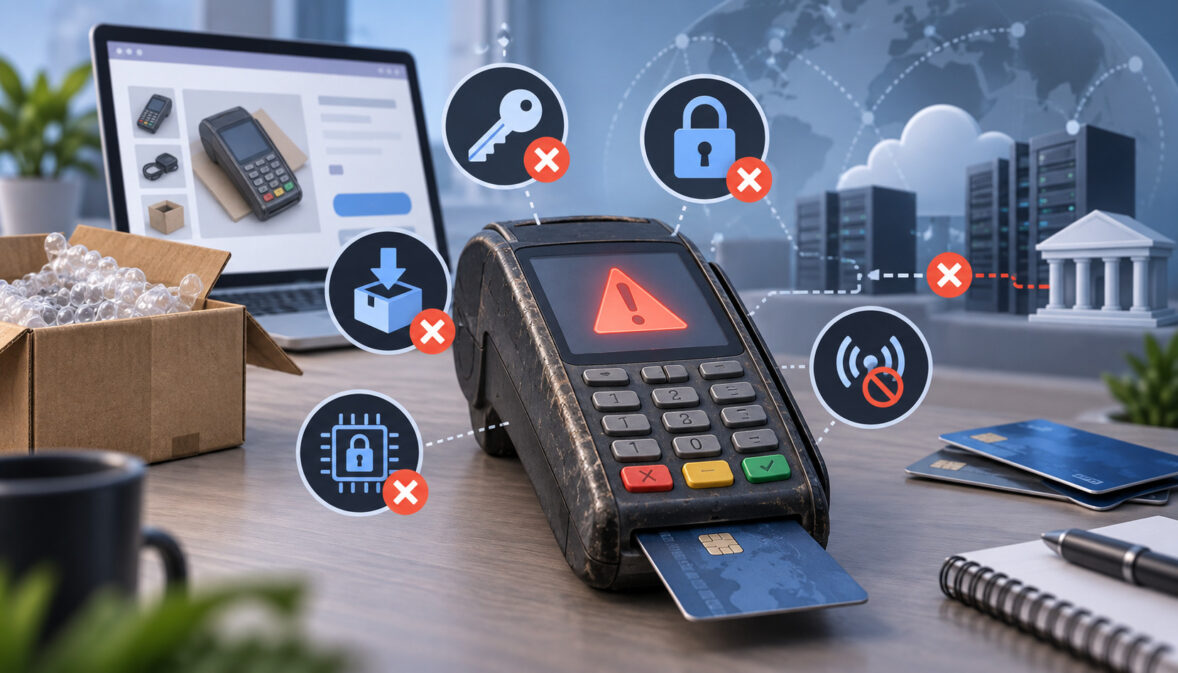
A used credit card terminal not working after you bought it online does not necessarily mean the hardware is defective. The device may boot normally, print a receipt, connect to Ethernet, respond to its keypad, and display transaction menus while still being completely unusable for live payments.
That is because a payment terminal is not a generic appliance. Before it can send legitimate transactions, several hidden deployment layers have to line up: the processor must support the hardware, the terminal’s security status must be acceptable, the correct payment application must be present, a merchant-specific configuration must be assigned, and required cryptographic keys must be established through an approved key-management process.
A marketplace seller saying a terminal is “working,” “unlocked,” or “factory reset” proves very little about those layers.
The practical deployment chain looks more like this:
supported hardware → acceptable security status → processor-compatible application → merchant file/build → approved key establishment or injection → connectivity → activation → test transaction → settlement verification
Miss one link and the terminal may have no practical payment value to your business.
If you need background on the normal transaction flow before getting into provisioning, this overview of how credit card terminals work explains the card-present process without duplicating the deployment issues covered here.
Why a Used Credit Card Terminal Is Not Plug-and-Play
The most important distinction when troubleshooting a secondhand terminal is the difference between hardware operation and payment deployment.
Powering on proves that at least part of the electronics works. Printing proves that the printer and some application functions work. Connecting to Wi-Fi or Ethernet proves that the terminal can communicate with a network.
None of those tests proves that the processor will accept transactions from it.
A functioning payment endpoint usually requires several independent layers:
| Layer | Requirement | Why It Matters |
| Physical hardware | Supported terminal and hardware revision | Processor applications are built and certified for particular device families |
| Security status | Acceptable PCI PTS and provider lifecycle status | Older devices may not be eligible for new deployment |
| Processor application | Correct approved payment software | Determines how the device communicates with the processor |
| Merchant configuration | Correct merchant file/profile | Associates transactions with the intended merchant environment |
| Cryptographic provisioning | Required keys established through an approved process | Enables protected payment functions |
| Connectivity | Ethernet, Wi-Fi, cellular, USB or other supported path | Lets the configured terminal communicate with its host |
| Activation | Processor recognizes and enables the deployment | A connected device is not automatically an authorized endpoint |
| Validation | Sale, receipt, batch and funding checks | Confirms the entire payment path actually belongs to the right merchant |
This explains the frustrating scenario where a used terminal looks healthy but produces messages such as configuration errors, download failures, initialization failures, host errors, or an inability to begin a payment.
The merchant may understandably think, “It is exactly the same machine my processor uses. Why can’t they activate it?”
Because the model name is only the first layer.
PCI listings themselves illustrate the problem. Devices carrying the same marketed model name can appear under different PCI PTS approval entries with different hardware and firmware combinations and different approval expirations.
If the terminal is already known to be properly deployed and the problem looks operational instead, use a structured credit card terminal troubleshooting process to separate connectivity, power, printer, and transaction errors.
The Provisioning Layers a Working Terminal Actually Needs
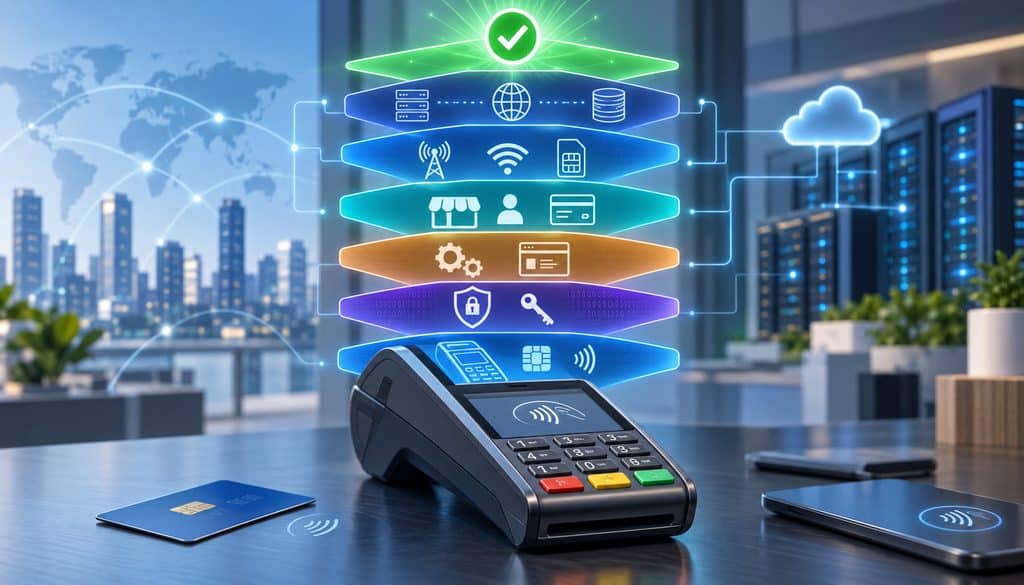
A useful way to evaluate secondhand hardware is to stop thinking of “programming the terminal” as one task.
There are several different tasks.
First, the hardware has to be a device the processor or its payment platform supports. That can involve the manufacturer, exact model, revision, firmware branch, peripherals, processor integration and sometimes the unit’s serial or deployment history.
Second, its payment-security status has to be acceptable. PCI PTS provides security requirements and approved-device listings for point-of-interaction equipment used to protect PINs and other sensitive payment information.
The PCI SSC describes PTS POI as covering security characteristics and management of devices used to protect PINs, account data and other sensitive payment-card data at the point of interaction.
The authoritative PCI PTS Point of Interaction resources provide the current program information and approved-device references.
Third comes the payment application. The software running on a terminal must correspond to the processor and integration being used.
Fourth comes the merchant profile or file. That tells the system which merchant and processing configuration the device belongs to.
Fifth comes cryptographic provisioning. Depending on the payment architecture, the terminal may require PIN-related keys, payment-encryption keys, certificates or other controlled security material.
Finally, the device needs an approved route to the payment host and has to be activated within the processor’s environment.
This is why:
Factory reset ≠ processor download ≠ key injection ≠ merchant activation.
Each is a different operation.
What Credit Card Terminal Key Injection Actually Is
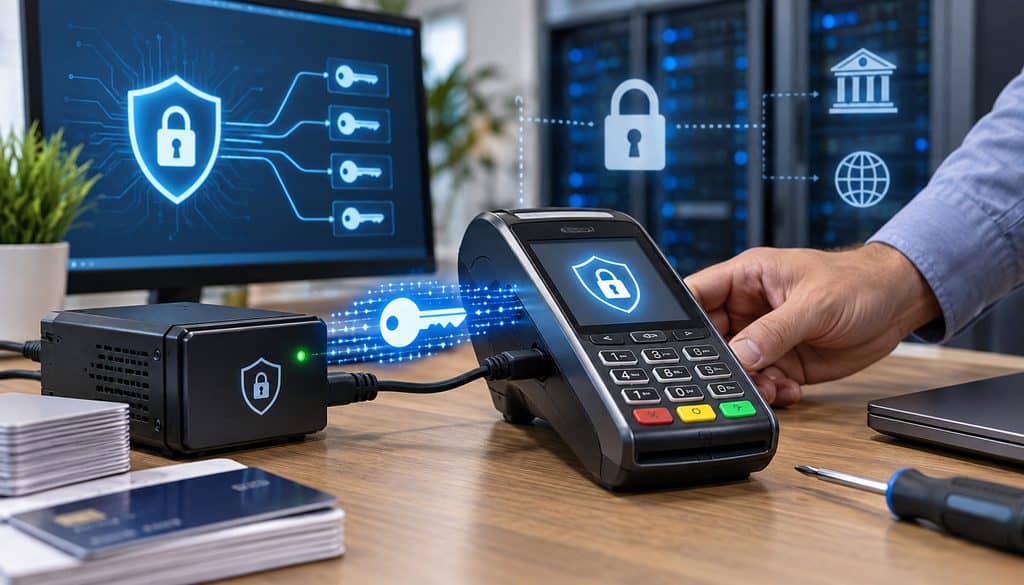
Credit card terminal key injection refers broadly to controlled cryptographic provisioning used to place required security material into payment devices.
PCI defines a Key Injection Facility, or KIF, as an entity that performs cryptographic key services for point-of-interaction devices and hardware security modules, including activities such as key generation, conveyance and loading.
PCI’s PIN Security framework addresses secure management of PINs and associated cryptographic keys throughout their lifecycle, including creation, conveyance, loading, use and administration.
The practical merchant takeaway is not how those cryptographic mechanisms work internally. It is that they belong to a controlled security process.
PCI’s current listings include validated KIF and remote key-loading components operated by manufacturers, payment providers and specialized deployment organizations. The PCI-listed P2PE component directory shows examples of approved payment-security components used within validated environments.
That is very different from installing an ordinary application on a laptop.
Why Keys Cannot Be Downloaded at Home
A merchant cannot make an unknown marketplace terminal ready for payments by searching the internet for “the right encryption key.”
Payment key management exists specifically so sensitive cryptographic material is not casually copied, emailed, posted online, moved through ordinary storage, or handled like a software license.
PCI PIN Security requirements describe controls around key-management operations and secure cryptographic devices, including controls intended to prevent unauthorized devices from being introduced into key-injection operations.
Modern payment estates may also use secure remote key injection or remote key loading, but “remote” should not be confused with “merchant DIY.” The security relationship, authorized device, cryptographic infrastructure and provider-controlled process still have to exist.
For more context on centralized device management, this explanation of remote payment terminal configuration shows how managed deployments differ from ad-hoc setup.
The key distinction is authorization.
A legitimate remote process does not turn arbitrary marketplace inventory into trusted payment hardware.
PIN Keys vs. P2PE and Other Payment Encryption Keys
The word “keys” is sometimes used too loosely when people discuss terminals.
Different cryptographic functions may exist within a payment deployment.
PIN-related cryptography protects PIN information in architectures that support PIN transactions. PCI PIN Security specifically addresses the secure management, processing and transmission of PINs and their associated keys.
A P2PE deployment can use cryptographic mechanisms designed to protect account data from the point of interaction through an approved decryption environment. Other systems may use security material for device authentication, encryption services or provider-specific payment functions.
Those are not interchangeable concepts.
A device that contains some existing security material is therefore not necessarily ready for your processor.
If you want a broader understanding of what encryption does during a normal transaction, this guide to payment terminal encryption explains the role of protected payment data without exposing sensitive implementation details.
Terminal Encryption Keys and the Processor Relationship

The phrase terminal encryption keys processor reflects an important relationship: terminal security provisioning has to correspond to the actual payment environment.
Depending on the architecture, compatibility may involve:
- the acquirer or processor,
- the payment application,
- the encryption or PIN-processing environment,
- the merchant deployment,
- an approved KIF or remote-key path,
- terminal hardware and firmware,
- and the device-management platform.
A processor cannot reasonably assume that a random used terminal already belongs to the correct cryptographic domain merely because the enclosure carries a supported model number.
That is one reason many processors or payment providers limit which hardware they will onboard.
There are also modern processor ecosystems in which hardware registration itself is controlled. For example, Stripe’s current Terminal documentation requires readers to be registered to a location before accepting payments, and some registration methods work only for readers ordered by the account or platform.
This should not be generalized into a rule for every processor, but it demonstrates why “technically compatible hardware” and “deployable hardware for my account” are different questions.
Stripe’s Terminal reader registration documentation provides a current first-party example of how device enrollment can be tied to the processor’s own deployment system.
Why Processors Refuse Third-Party Used Hardware
Not every processor rejects every secondhand terminal. Some support controlled redeployment or approved third-party sourcing.
However, many processors may decline random marketplace hardware because they cannot establish enough confidence about its status.
Possible concerns include:
- unknown chain of custody;
- no reliable deployment history;
- serial number already assigned somewhere else;
- incompatible application;
- incompatible security provisioning;
- unsupported hardware revision;
- unsupported firmware branch;
- missing device-management record;
- manufacturer end-of-life status;
- PCI PTS lifecycle concerns;
- tamper or secure-module faults;
- unclear legal ownership;
- and higher support costs.
Processor support teams also have to maintain certified combinations of software, firmware, host configuration and hardware.
Adding arbitrary combinations expands the number of configurations they have to troubleshoot.
That does not make third-party hardware inherently bad. It means the merchant should obtain approval before money changes hands.
Supported Model Does Not Mean Supported Unit
This distinction deserves special attention.
A terminal model can remain familiar for years while its internal hardware, security components, firmware and certification lineage change.
Two devices with the same marketing name may therefore be very different deployment candidates.
PCI listings can contain multiple approval entries associated with a device family, including distinct hardware and firmware details. Current listings illustrate that one marketed terminal name may appear under separate PTS approvals with different expiry dates.
Processor restrictions can be even narrower.
The provider may support:
- only particular revisions;
- particular firmware;
- particular manufacturer part numbers;
- units originally sourced through an authorized channel;
- specific serial-number inventories;
- or only devices already registered in its estate-management system.
The seller usually cannot determine all of this.
Therefore, never make the purchase decision based exclusively on:
“That model appears on my processor’s terminal list.”
You want confirmation about your specific unit.
How PCI PTS Status Makes Old Used Stock Risky
PCI PTS is a security approval program for point-of-interaction devices. It matters because processors, acquirers, solution providers and merchants rely on approved devices as part of their security and deployment programs.
As of September 2026, an especially important lifecycle detail is the PCI SSC’s September 11, 2025 decision to extend the approval expiry of PCI PTS POI v5 devices from April 30, 2026 to April 30, 2027.
PCI stated that the extension applies to devices already approved under PTS POI v5 and does not reopen v5 for new device approvals. The Council also encouraged migration toward devices approved to PTS POI v6 or later.
Current PCI listings reflect PTS POI v6 device-approval expiry extending to April 2032, while v5 approvals currently extend through April 2027.
The critical nuance is that an approval expiry is not the same thing as an automatic kill switch.
A device reaching a PCI approval expiry does not mean every already-installed unit around the world instantly stops functioning.
What happens operationally can depend on:
- whether the device is already deployed;
- whether someone is trying to make a new deployment;
- processor/acquirer policy;
- solution-provider requirements;
- merchant risk policy;
- manufacturer support;
- and other applicable payment-program rules.
Used equipment is especially exposed because buying it usually implies a new deployment or redeployment decision, not merely continued operation of an existing installed unit.
PTS Approval vs. Manufacturer End-of-Life
Three different lifecycle decisions are frequently confused:
| Status | Who Controls It | Effect on Redeployment |
| PCI PTS approval | PCI SSC approval program | Security approval status may affect whether new deployment remains acceptable |
| Manufacturer EOL/support lifecycle | Terminal manufacturer | Firmware, repairs, management features and vendor support may become limited |
| Processor support | Processor/acquirer/payment provider | Determines whether the provider will actually activate and support the device |
A terminal can therefore encounter trouble even when one row still looks favorable.
For example, its PCI approval might still be active while the processor has stopped deploying it.
Or the manufacturer may have declared a device end-of-life while existing installations continue to function.
Ingenico currently notes that terminal-management capabilities can differ for older devices declared End-of-Life, which shows why the manufacturer’s terminal lifecycle guidance matters independently of PCI status.
End-of-Sale Is Not End-of-Support
Another common mistake is assuming that “discontinued” has one meaning.
End-of-sale generally describes when new commercial sales of a product stop.
End-of-support describes when some or all manufacturer service, updates, repair programs, software support or lifecycle services end.
They do not necessarily occur together.
A terminal may stop being sold new while remaining supported for an established period. Conversely, ancient warehouse or marketplace stock may still be physically available long after practical support has disappeared.
That is why marketplace availability tells you nothing authoritative about lifecycle status.
How to Check a Used Terminal Before You Buy
If you are planning to buy a used credit card machine on eBay or another marketplace, reverse the usual buying sequence.
Do not purchase first and ask the processor later.
Use this process:
- Obtain the exact manufacturer and model.
- Obtain the complete serial number.
- Obtain the hardware revision or manufacturer part number if shown.
- Ask for clear photographs of every identification label.
- Check manufacturer support or EOL information.
- Check the relevant PCI PTS listing.
- Give the details to your processor.
- Ask whether third-party hardware is permitted.
- Ask whether the specific unit is eligible for deployment.
- Ask whether it requires wipe, reload or reinjection.
- Ask who is authorized to perform that work.
- Get the full deployment cost.
- Compare it with a processor-provisioned replacement.
Used Terminal Pre-Purchase Check
| Check | What to Verify | Stop Buying If |
| Exact model | Manufacturer’s complete model identity | Seller cannot identify it |
| Revision | Hardware/part-number details | Provider cannot confirm compatibility |
| Serial | Complete readable serial number | Seller refuses to provide it |
| PCI status | Relevant PTS listing and lifecycle | Provider says it cannot redeploy the unit |
| Manufacturer lifecycle | Current support/EOL position | Support is inadequate for intended use |
| Processor policy | Acceptance of third-party devices | Processor refuses third-party hardware |
| Redeployment path | Wipe/download/rekey process | No approved path exists |
| Ownership | Seller has legitimate title where applicable | Ownership is questionable |
| Economics | All-in deployment versus replacement | Used route no longer saves enough to justify risk |
Why Marketplace Listings Can Be Misleading
A listing may accurately say:
- “powers on,”
- “printer works,”
- “factory reset,”
- “same model used by major processors,”
- or “unlocked.”
None establishes that the terminal is deployable on your merchant account.
Marketplace Listing Claims
| Claim | What It Actually Proves | What It Does Not Prove |
| “Powers on” | Basic power-up works | Processor compatibility |
| “Works great” | Seller reports some functionality | Live payment deployment |
| “Factory reset” | Some configuration may have been cleared | Key injection or merchant activation |
| “Unlocked” | Meaning depends on seller | Universal processor compatibility |
| “Same model your processor uses” | Exterior/model family may match | Revision, serial or security eligibility |
| “Just needs programming” | Seller believes configuration is missing | Approved deployment path exists |
| “Ready to process” | Seller assertion | Your processor will activate it |
The word “unlocked” is particularly unreliable because there is no universal marketplace definition.
It might mean there is no visible merchant receipt header.
It might mean the seller accessed a configuration menu.
It might refer to cellular network status.
It might simply be advertising jargon.
It does not establish correct encryption provisioning, compatible applications, current PTS status or processor approval.
Can You Reprogram a Used Credit Card Terminal?
Sometimes.
But reprogram a used credit card terminal should mean legitimate provider-controlled redeployment, not circumventing security restrictions.
Depending on the device and payment platform, redeployment may involve:
- validating hardware eligibility;
- removing the previous merchant configuration;
- loading an approved processor application;
- applying a supported firmware version;
- establishing required security keys through an approved process;
- creating or assigning the merchant file;
- downloading appropriate parameters;
- activating the device;
- and testing transactions.
The exact process is provider-specific.
A merchant should not attempt to bypass processor restrictions, defeat secure modules, substitute unofficial firmware or obtain cryptographic material from unknown internet sources.
File Builds and Merchant Downloads
A merchant file or terminal profile contains operational parameters that tell the device how it belongs in the merchant’s payment environment.
Depending on the platform, configuration can include things such as:
- merchant identifiers;
- enabled transaction types;
- routing configuration;
- tender options;
- receipt configuration;
- tip settings;
- batch behavior;
- application settings;
- and supported payment functionality.
Some modern systems manage these profiles centrally through a terminal-management platform.
This explains why changing merchants is more significant than typing a new store name into the receipt header.
If the payment application expects one processor architecture while your account belongs to another, changing superficial settings will not solve the mismatch.
A related overview of payment terminal integration with merchant services explains why hardware, software, processing, and account configuration have to work as one supported environment.
Application Downloads
A payment application is not a universal program.
The supported combination can depend on:
- terminal manufacturer;
- processor;
- integration;
- firmware;
- hardware revision;
- certification;
- peripheral configuration;
- and security architecture.
A used terminal might therefore contain perfectly functional software that is completely wrong for the acquiring relationship you intend to use.
This is why an old merchant’s application showing a menu is not evidence that your processor can simply replace the merchant ID and move on.
Factory Reset Is Not Provisioning
This deserves an explicit equation:
Factory reset ≠ processor file
Factory reset ≠ approved application download
Factory reset ≠ credit card terminal key injection
Factory reset ≠ processor activation
A reset typically clears or restores some local configuration according to the manufacturer’s design.
It cannot make unsupported hardware supported.
It cannot create an approved security relationship.
It cannot repair a tampered secure module.
And it cannot force a processor to accept a serial number it will not deploy.
Wipe, Re-Injection and Redeployment
Where supported, a legitimate service workflow may look like:
provider verifies device → unit is received or securely enrolled → prior configuration is removed → approved software is loaded → required keys are established through an approved process → merchant configuration is applied → terminal is activated and tested
Some systems can perform portions remotely. Others require physical shipment.
Do not assume every processor offers reinjection services for customer-supplied terminals.
Ask first.
Security Risks in Secondhand Payment Terminals
A card terminal is a security-sensitive endpoint.
That makes unknown chain of custody substantially more important than it would be for an ordinary receipt printer or office monitor.
A secondhand terminal can have questions around:
- who previously controlled it;
- whether it was removed from service correctly;
- whether it was reported missing;
- whether it was leased rather than owned;
- whether its enclosure was opened;
- whether tamper protections were triggered;
- whether its secure module remains functional;
- whether old software is still installed;
- whether it has been stored appropriately;
- and whether the power supply and accessories are authentic and appropriate.
Verifone’s current terminal-security guidance emphasizes physical security, protection against device removal, tampering or substitution, and use of trusted software and updates.
Tamper Flags and Secure Modules
Payment terminals are designed with tamper-detection mechanisms because attackers should not be able to open or modify security-sensitive hardware without consequence.
Current manufacturer documentation confirms this behavior.
For example, Ingenico’s 2026 Lane-series documentation tells users to inspect terminals for signs of tampering and states that the terminal detects a tampered state. In the documented condition, further use is disabled and the user is directed to contact the terminal helpdesk.
Other manufacturers also document hardware tamper states in their payment devices.
A merchant should not open a payment terminal to investigate such a condition.
If a used device shows a tamper or security error, contact the processor, manufacturer or approved repair/deployment organization.
What a “Bricked Security Module” Means
Merchants sometimes use the word “bricked” loosely to describe a terminal whose payment-security functions no longer operate.
A severe tamper or secure-hardware fault can make a device incapable of performing protected payment functions until approved service is performed—if the design and provider support recovery at all.
The critical business question is therefore not:
Can somebody on the internet clear the message?
It is:
Will my authorized provider accept, service and securely redeploy this device?
If the answer is no, the terminal may effectively have zero payment value to that merchant even though its screen, printer and operating system still function.
Leftover Merchant Configurations
Secondhand equipment may also contain evidence of its former deployment, such as:
- receipt headers;
- network settings;
- previous application configuration;
- communication parameters;
- old processor software;
- or other operational settings.
That does not mean raw cardholder data is necessarily sitting on the terminal.
Avoid assuming either extreme.
Do not assume the terminal contains sensitive customer records merely because it was used, and do not assume a visible reset proves that every security or deployment artifact has been appropriately handled.
An approved redeployment process should address the device according to the processor’s and manufacturer’s requirements.
Why Wiping the Device May Not Be Enough
Removing old merchant configuration can be necessary, but it does not resolve every layer.
A wipe cannot by itself:
- make an unsupported PCI lifecycle acceptable;
- restore manufacturer support;
- change the processor’s third-party-hardware policy;
- establish the correct encryption environment;
- repair security hardware;
- establish clear ownership;
- or guarantee the correct application exists.
Treat wiping as one task in a deployment workflow—not as proof that a terminal is ready for resale.
Accessories and Connectivity Can Create Separate Problems
Not every secondhand-terminal problem is caused by provisioning.
A wrong or failing power adapter, dock, cable, battery or network accessory can make a legitimate terminal appear defective.
Verify the accessory part numbers and power requirements through manufacturer documentation or your service provider rather than substituting random adapters.
But remember that accessories cannot solve processor provisioning.
Likewise, connectivity and provisioning are separate failure domains:
Properly provisioned + offline = cannot reach the host
Online + improperly provisioned = network works, payments still fail
A successful ping, Ethernet link light or Wi-Fi connection therefore does not prove payment readiness.
Pro Tip: Troubleshoot in layers: eligibility first, security/provisioning second, connectivity third, transaction behavior fourth. Otherwise, a merchant can spend hours repairing networking on a device the processor was never going to activate.
What Re-Injection Actually Costs Compared With Buying New
This is where a cheap marketplace terminal can become expensive.
There is no responsible universal reinjection price to quote because fees vary by provider, terminal family, deployment service, location and the work required.
Instead, calculate the all-in recovery cost.
Re-Injection vs. New Terminal
| Cost/Factor | Used Device | New Provisioned Device |
| Purchase price | Often lower | Usually higher |
| Initial compatibility certainty | Lower unless pre-approved | Usually higher |
| Outbound shipping | May apply | Usually not a redeployment expense |
| Return shipping | May apply | Usually part of supplier fulfillment |
| Inspection | May be required | Normally unnecessary |
| Wipe/reload | May be additional | Typically coordinated before delivery |
| Key provisioning | May be additional | Typically coordinated within deployment |
| Merchant-file setup | Required | Required but usually part of normal provisioning |
| Failure risk | Device may be rejected after inspection | Lower when supplied through provider |
| Warranty | Often limited or absent | Often available depending on supplier |
| Remaining lifecycle | Potentially short | Usually longer |
| Downtime | Can extend through shipping/service | Often easier to predict |
| Support ownership | Can be unclear | Usually clearer |
The economic mistake is comparing only:
used listing price versus new terminal price
The useful comparison is:
used purchase + freight + inspection + secure redeployment + programming + downtime + failure risk
versus:
supported provisioned replacement + warranty/support + expected remaining lifecycle
Hidden Cost: Failed Redeployment
Imagine you buy a bargain terminal.
Then you pay to ship it to a deployment vendor.
The vendor discovers one of four things:
- the processor will not accept that revision;
- the PCI/support lifecycle is unsuitable;
- the unit is in a tamper condition;
- or its secure hardware cannot be economically restored.
Your cost is no longer just the original purchase.
You may now have paid for:
hardware + shipping + inspection/service + business time
and still need to buy another terminal.
This is the false economy merchants should evaluate before purchasing.
When a New Provisioned Terminal Is Cheaper Overall
A new unit can make more financial sense when:
- the used device is near the end of its supported lifecycle;
- reinjection and redeployment require several paid steps;
- downtime matters;
- you cannot obtain a meaningful warranty;
- support for the model is declining;
- the processor is reluctant to accept third-party units;
- or the savings are small after shipping and service.
This is not an argument that every merchant should always buy new.
It is an argument for comparing total deployment cost, not sticker price.
When Used Equipment Can Work
Secondhand terminals are not automatically useless.
Used equipment can be viable where the payment ecosystem is known and the provider explicitly supports reuse.
Strong candidates tend to have several characteristics:
- known chain of custody;
- confirmed legal ownership;
- supported terminal family;
- acceptable hardware revision;
- current enough PCI/security status;
- continuing manufacturer support;
- known deployment history;
- compatible processor environment;
- approved security provisioning;
- and processor approval before redeployment.
Same-Processor Redeployment
A common legitimate reuse scenario is an existing merchant moving a terminal between approved locations while keeping the same processor ecosystem.
For example:
- A business closes one location.
- A supported terminal is recovered through the company’s normal inventory process.
- The processor already knows the device.
- The merchant opens another location.
- The provider reassigns or updates the terminal profile.
- The device is tested in the new deployment.
That is fundamentally different from purchasing an unknown terminal from an unrelated person.
Same File or Same Processor Environment
A terminal that remains within a known processor environment can sometimes be easier to redeploy because:
- compatibility is already known;
- the device may already exist in inventory;
- its security environment may already correspond to the processor;
- the application lineage is known;
- and the provider has deployment history.
But “same processor” is still not a guarantee.
The provider may have restrictions around serial assignment, previous merchant ownership, application version or hardware lifecycle.
Used Device From Another Merchant on the Same Processor
This falls somewhere in the middle.
It may be technically easier than moving a device between entirely different ecosystems, but the processor still has to authorize the move.
Questions can include:
- Who owns the terminal?
- Is it attached to another account?
- Can the serial be reassigned?
- Is its keying compatible?
- Does it require reinjection?
- Is the application current?
- Will the provider support the transfer?
Never assume the processor can move it simply because both merchants use the same company.
Used Device From a Different Processor
This is usually more complicated.
Potential obstacles include:
- different application;
- different security environment;
- processor-specific configuration;
- incompatible firmware;
- serial restrictions;
- unsupported third-party hardware;
- and lack of an approved reinjection route.
A “supported model” may therefore still be impractical.
Used Device From a Closed Processor or ISO
An orphaned deployment introduces another layer of uncertainty.
The existing payment application might rely on infrastructure or profiles that are no longer available.
The terminal might have been provisioned through a deployment channel your new provider cannot access.
The previous ISO’s closure does not automatically make the hardware unusable, but it can remove the easiest support route.
Processor-Owned or Leased Hardware
Possession is not always ownership.
Some terminals are leased, rented, loaned or supplied under agreements requiring their return.
A marketplace listing therefore should not be treated as proof that the seller has unrestricted title.
Ask for proof of ownership when circumstances justify it, particularly for newer commercial hardware that appears to have come directly from an active merchant deployment.
Same-Processor vs. Different-Processor Reuse
| Scenario | Likelihood of Redeployment | Main Constraint |
| Same merchant, same processor, known terminal | Often strongest candidate | Provider reassignment policy |
| Same company, different location | Often practical when supported | Location/profile configuration |
| Another merchant, same processor | Possible | Ownership, serial assignment and provider policy |
| Different processor | More uncertain | Application/security compatibility |
| Unknown marketplace unit | High uncertainty | Chain of custody and deployability |
| EOL or unsupported device | Poor candidate | Lifecycle and support |
| Tamper/security fault | Requires approved evaluation | Secure hardware condition |
Questions to Ask Your Processor Before Buying Used
Do not ask only:
“Do you support this model?”
Ask the following:
- Do you support this exact model and hardware revision?
- Will you activate hardware purchased from an unrelated third party?
- Can you check this exact serial number before I buy it?
- Is the serial currently assigned to another account or deployment?
- Is the device eligible for a new deployment under your current security policy?
- Does it need reinjection or other security provisioning?
- Who is authorized to perform that work?
- Does the terminal require a different processor application or firmware?
- Is the device still supported by the manufacturer?
- What is the all-in wipe, reload, keying and deployment cost?
- What happens if the unit arrives with a tamper/security fault?
- Would a new pre-provisioned terminal cost less overall?
Keep the processor’s written answer or support-ticket reference.
If the terminal later fails deployment, you have a record showing exactly what was approved.
What to Ask the Seller
The seller does not need access to sensitive security information.
Request ordinary asset-identification evidence:
- exact manufacturer;
- full model;
- serial number;
- hardware revision;
- part number if available;
- photographs of labels;
- photograph of the power-on screen;
- included power supply and dock details;
- ownership history where reasonable;
- and return terms.
Do not ask the seller for encryption keys, security credentials, processor passwords or other sensitive configuration.
If the seller refuses to reveal a serial number before purchase, your processor cannot adequately pre-check the unit.
That alone may make the purchase unsuitable.
Practical Used Terminal Evaluation Workflow
Use this sequence for every secondhand device:
1. Identify the exact model: Record the manufacturer and complete product identity.
2. Record the hardware revision: Use the unit label or manufacturer documentation.
3. Obtain the serial number: Do not rely exclusively on listing photographs if they are unreadable.
4. Verify manufacturer support: Check whether the manufacturer still supports the relevant family and services.
5. Verify PCI PTS status where applicable: Use the PCI SSC listing rather than marketplace descriptions.
6. Ask whether the processor accepts third-party hardware: A yes/no answer here can end the evaluation quickly.
7. Ask whether the exact serial is deployable: Model support alone is insufficient.
8. Determine whether reinjection or secure reprovisioning is necessary: Have the provider identify the approved route.
9. Obtain the all-in cost: Include shipping, inspection, programming and deployment.
10. Compare against a provisioned replacement: Include warranty, support and lifecycle.
11. Inspect the physical device through approved procedures: Do not open the terminal.
12. Proceed only after provider approval.
13. Have the authorized provider wipe, reload or reinject as necessary.
14. Load or assign the merchant profile.
15. Perform a controlled sale.
16. Test void or refund functionality if appropriate for your business.
17. Verify the first settlement and document the final deployment.
Test the Payment Path, Not Just the Approval Screen
Once a used terminal has been legitimately provisioned, do not stop after receiving one “Approved” message.
Run a controlled small sale through the normal production workflow.
Check:
- merchant name on the receipt;
- location information;
- tender type;
- expected terminal behavior;
- tip prompts if applicable;
- transaction visibility in the processor portal;
- and merchant account assignment.
If normal operations require voids or refunds, test the appropriate workflow according to processor instructions.
Then allow the first normal batch or settlement cycle to complete.
Confirm that:
- the transaction appears in the expected batch;
- the correct merchant ID/account is represented;
- the descriptor is correct;
- the gross/net reconciliation makes sense;
- and the deposit reaches the correct bank account.
A terminal can approve a transaction while another configuration problem remains elsewhere in the merchant setup.
Common Used Credit Card Terminal Mistakes
Common Mistakes
| Mistake | Risk | Better Approach |
| Buying before asking processor | Device may never be deployable | Obtain approval first |
| Checking model but not serial | Wrong revision or assignment may be missed | Confirm exact unit |
| Trusting “unlocked” | Term has no universal deployment meaning | Verify with processor |
| Ignoring PCI PTS lifecycle | Old inventory may be poor for redeployment | Check PCI and provider policy |
| Ignoring EOL status | Support may be limited | Check manufacturer lifecycle |
| Treating factory reset as provisioning | Security/application layers remain unresolved | Use approved deployment process |
| Trying DIY key injection | Violates secure key-management expectations | Use approved provider/KIF path |
| Installing unofficial firmware | Can create security and compatibility risk | Use trusted provider-supplied software |
| Ignoring tamper state | Secure functions may be unavailable | Contact approved support |
| Comparing only purchase price | Redeployment may erase savings | Compare all-in cost |
| Buying unclear-ownership equipment | Terminal may be leased or improperly resold | Verify ownership |
| Testing only power-up | Says little about payment readiness | Test through settlement |
Do not attempt to solve processor rejection with random firmware, internet-sourced payment applications, unofficial terminal tools or “unlock” utilities.
Trusted terminal updates should originate through approved manufacturer, processor or deployment channels. Verifone’s current security guidance similarly recommends verifying that updates are trusted and digitally signed and maintaining supported terminal software.
Marketplace Purchase Decision Framework
Before clicking Buy, work down this table.
| Question | If Yes | If No |
| Exact model/revision supported? | Continue | Do not buy |
| Processor accepts third-party hardware? | Continue | Do not buy |
| Serial eligible? | Continue | High risk—resolve first |
| PCI/support lifecycle acceptable? | Continue | Avoid unless provider explicitly approves |
| Ownership clear? | Continue | Do not buy |
| Approved redeployment path exists? | Continue | Do not buy |
| All-in cost is attractive? | Consider purchase | Buy provisioned replacement |
| Tamper/security condition acceptable? | Deploy through approved route | Reject/service through approved provider |
New vs. Used Terminal Comparison
| Factor | Used Marketplace Terminal | New Provisioned Terminal |
| Upfront hardware cost | Often lower | Usually higher |
| Support certainty | Lower until verified | Higher |
| Keying/provisioning | Unknown or additional | Usually coordinated |
| Security history | Often unknown | Known supply path |
| Processor compatibility | Must be confirmed | Normally selected for processor |
| Warranty | Limited or none | Often available |
| PTS/EOL risk | Frequently higher | Usually lower |
| Redeployment work | May be significant | Usually minimized |
| Failure-after-purchase risk | Higher | Lower |
| Chain of custody | Often incomplete | Usually documented |
This is why apparently perfect hardware can still be worth nothing for your intended payment deployment.
Its resale value and general hardware value may not be zero.
But if your processor cannot legally, securely or operationally activate it, the merchant cannot turn it into a working payment acceptance endpoint.
What to Do if the Processor Says No
Do not try to bypass the restriction.
Instead:
- ask why the unit is ineligible;
- preserve the support-ticket answer;
- use the seller’s return process if available;
- resell the unit only where lawful and consistent with ownership obligations;
- disclose relevant compatibility limitations accurately;
- or obtain supported provisioned hardware.
If the processor’s answer is based on lifecycle or security policy, changing network settings will not alter it.
If the answer is based on a temporary configuration problem, follow the provider’s supported remediation process.
Used Credit Card Terminal Pre-Purchase Checklist
Before purchasing any secondhand payment terminal:
- Get the exact model number.
- Get the hardware revision.
- Get the serial number.
- Obtain clear photographs of identification labels.
- Verify manufacturer support status.
- Verify applicable PCI PTS status.
- Ask whether your processor accepts third-party hardware.
- Ask whether the exact serial is deployable.
- Ask whether secure reinjection or reprovisioning is needed.
- Confirm who performs approved key injection.
- Determine whether an application reload is required.
- Get the total wipe/reload/redeployment cost.
- Include shipping and inspection in the cost comparison.
- Compare the total with a new provisioned terminal.
- Confirm ownership where appropriate.
- Avoid equipment with unresolved tamper/security status.
- Do not rely on “unlocked” claims.
- Do not rely on “factory reset” claims.
- Do not install unofficial payment firmware.
- Do not attempt DIY key injection.
- Proceed only after processor approval.
- Perform a live test sale after deployment.
- Test the normal void/refund workflow if appropriate.
- Verify the first settlement.
- Record the serial, location and deployment details.
Frequently Asked Questions
Why does my used credit card terminal power on but not process payments?
Powering on confirms only basic hardware operation. The terminal may still lack a processor-compatible application, merchant profile, approved security provisioning or processor activation. Your processor must confirm that the exact device is deployable.
What is credit card terminal key injection?
Credit card terminal key injection is a controlled process for provisioning cryptographic material used by payment devices. PCI defines KIFs as entities that perform cryptographic key services for payment devices. It is a controlled security function, not ordinary software installation.
Can I inject payment keys myself?
Merchants should not attempt DIY payment-key injection. Required keys or other cryptographic provisioning should be established through the processor, manufacturer or an approved secure deployment path.
Can a processor reprogram a used credit card terminal?
Sometimes. A processor may support wiping, application loading, merchant-file setup and approved key provisioning for eligible equipment. Policies vary, so obtain approval for the exact model, revision and serial before purchasing.
Why won’t my processor activate a terminal I bought online?
Possible reasons include unsupported serial numbers, incompatible applications, wrong security provisioning, unknown chain of custody, manufacturer EOL, PCI lifecycle concerns or a policy against third-party hardware.
Does a factory reset make a terminal ready for a new merchant?
No. A factory reset is not the same as processor provisioning. It does not automatically install the correct processor application, merchant file, security keys or activation record.
What does “unlocked” mean on a used terminal listing?
There is no reliable universal meaning. It could refer to configuration menus, network status, absence of a visible merchant profile or simply seller terminology. It does not prove processor compatibility.
How do I know if a terminal is still PCI PTS approved?
Use PCI SSC’s official PTS device resources and identify the precise approval associated with the hardware and firmware rather than relying only on the marketing model name. Your processor should also confirm whether it remains eligible under its deployment policy.
Does expired PTS approval mean a terminal can never be used?
Not automatically. Approval expiry does not mean every existing installed unit immediately stops operating. Continued use and new redeployment can be treated differently, and processor, acquirer and solution-provider policies matter.
How do I check a terminal serial number before buying?
Ask the seller for the serial and hardware-revision information, then give it to your processor or deployment provider. Ask explicitly whether that exact unit is eligible for third-party redeployment.
What is a tamper flag on a payment terminal?
Payment terminals include mechanisms designed to detect certain attempts to interfere with security-sensitive hardware. Manufacturer documentation shows that some tamper states disable further terminal use and require contacting authorized support.
Can a tampered terminal be repaired?
It depends on the terminal, fault and manufacturer’s or provider’s service policy. Do not attempt to open or bypass the device. Have an approved service provider determine whether recovery is supported and economically sensible.
Is reinjection cheaper than buying a new terminal?
Sometimes, but not necessarily. Compare the used purchase price, shipping, inspection, wipe/reload, secure provisioning, deployment work, downtime and risk of rejection against the price and support lifecycle of a provisioned replacement.
Can I reuse a terminal from another merchant on the same processor?
Possibly. Same-processor reuse can be easier because the provider may know the application and device history, but serial assignment, ownership, security provisioning and current provider policy still have to be verified.
Is it safe to buy a used credit card machine on eBay?
It can be reasonable only when the exact unit is verified before purchase. Do not rely on seller statements such as “unlocked,” “factory reset” or “works with any processor.” Confirm model, revision, serial, lifecycle, ownership and redeployment cost with your processor first.
Conclusion
A secondhand payment terminal is not generic plug-and-play equipment. A device that boots, prints and connects to the internet may still be unusable for live transactions because the real deployment depends on processor support, security status, application compatibility, merchant configuration and approved cryptographic provisioning.
That is why a used credit card terminal not working should not immediately be treated as a hardware failure.
Before buying marketplace equipment, verify the exact model, revision and serial with your processor. Check PCI PTS and manufacturer lifecycle status, determine whether third-party hardware is permitted, and establish whether an approved wipe, application download and secure key-provisioning path exists.
Marketplace terms such as “unlocked,” “factory reset” and “ready to process” do not establish any of those facts.
Used terminals make the most sense when they remain inside a known, supported payment environment with clear ownership, known deployment history and an approved processor willing to redeploy them.
Once shipping, inspection, reprogramming, secure provisioning and failure risk are included, a cheap used terminal can also cost more than a supported provisioned replacement. Verify first, buy second.