By Amanda Hoglund August 17, 2026
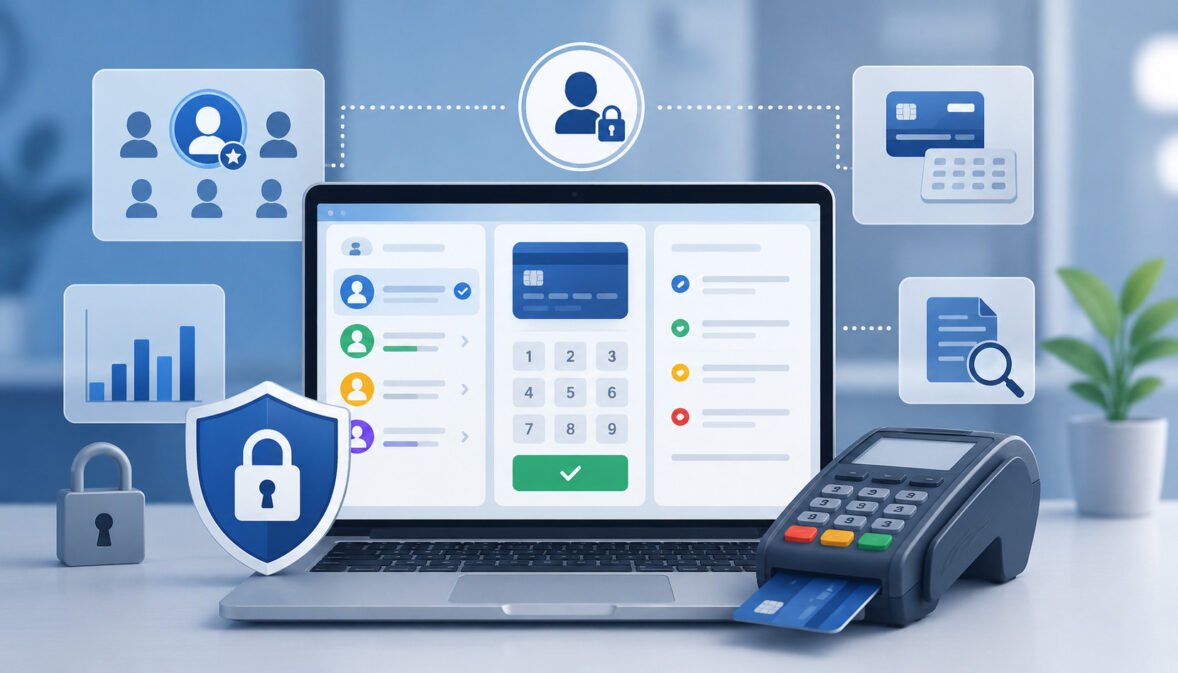
A virtual terminal turns a browser or merchant portal into a card-not-present payment tool. That flexibility is useful, but it also means an employee with excessive permissions may be able to key transactions, issue refunds, view customer data, or change settings without the physical controls of a checkout terminal.
Effective virtual terminal access controls reduce that exposure by deciding who can access the payment portal, what each person can do, how much they can transact, which actions require approval, and how activity is recorded for later review.
The goal is not to assume employees are dishonest. It is to make errors easier to catch, misuse harder to commit, and legitimate activity easier to trace.
A practical internal card fraud prevention program should combine:
- Individual user accounts
- Least-privilege roles
- Keyed-entry transaction limits
- Refund and exception approval rules
- Multi-factor authentication
- Detailed audit logging
- Periodic access and activity reviews
These controls also support broader payment-security responsibilities. The PCI Security Standards Council describes PCI DSS as a baseline of technical and operational requirements for entities that store, process, transmit, or can affect the security of payment account data. PCI DSS v4.0.1 is the current active version published by PCI SSC.
The most effective approach is layered. A transaction limit cannot compensate for shared administrator passwords, and MFA alone cannot stop an authorized employee from issuing an inappropriate refund. Strong virtual terminal security combines identity, permissions, transaction controls, monitoring, reconciliation, and management oversight.
What Is a Virtual Terminal, and Why Does Its Risk Profile Differ?
A virtual terminal is a secure browser-based payment interface that lets an authorized employee manually enter payment information without using a customer’s card through a traditional countertop terminal.
Businesses commonly use virtual terminals for telephone orders, mail orders, accounts receivable, professional services, reservations, and customer-service payments.
For additional background, see this explanation of what a virtual terminal is and how it works. Another useful distinction is the difference between a virtual terminal and a payment gateway.
A manually keyed transaction is generally treated as card-not-present when the normal card-present acceptance technology is not being used, even if a customer happens to be standing nearby.
That distinction matters because manual entry does not provide the same transaction context as inserting, tapping, or otherwise presenting a card through a payment device.
A physical terminal and a virtual terminal may ultimately route transactions through similar processing infrastructure, but their operational controls are different.
| Security Area | Virtual Terminal | Physical Terminal |
| Card entry method | Usually manually keyed through a browser interface | Card, chip, contactless device, or other supported card-present method |
| User authentication | Portal login, potentially MFA and role permissions | May use employee login, POS credentials, device controls, or combinations |
| Card-present controls | Generally absent for manually keyed CNP transactions | Card-present acceptance technology can provide additional transaction data |
| User permissions | Often configurable at portal/account level | Depends on terminal and POS configuration |
| Audit trail | Portal, application, transaction, and user logs may be available | Terminal/POS and processor records may apply |
| Main internal risk | Excessive portal privileges, manual entry misuse, refunds, exports, admin changes | Unauthorized device/POS use, physical access, overrides, or credential misuse |
Authentication and payment authorization must also be distinguished. Authentication verifies the identity of the person attempting to use the portal. Transaction authorization is the issuer-side decision to approve or decline a payment request.
An employee successfully authenticating into a merchant portal does not mean every transaction that employee submits is automatically legitimate.
Similarly, a user role determines what an employee is allowed to do inside the payment system. It is different from the authorization decision for a customer’s individual card transaction.
Why Virtual Terminals Can Create Internal Payment Fraud Risk

Virtual terminals are designed for flexibility, which is exactly why access must be controlled carefully. An employee may be able to process payments from a desk, customer-service station, office laptop, or approved remote environment rather than requiring physical possession of a payment device.
Internal risk becomes more significant when access is broader than the employee’s actual job duties. Examples include customer-service representatives receiving administrator privileges, former employees retaining active accounts, or payment-entry staff being able to issue unrestricted refunds.
Weak practices that increase exposure include:
- Shared usernames and passwords
- Excessive administrator access
- Unlimited manual transactions
- Unrestricted refund permissions
- Standalone credit capabilities available to ordinary users
- Unnecessary visibility into cardholder information
- Weak or absent MFA
- Poor offboarding
- Unreviewed administrator changes
- Inadequate audit logging
- Excessive report-export access
- No transaction exception review
These weaknesses can contribute to employee payment fraud, but unusual activity does not automatically prove fraud. A duplicate transaction may result from an employee mistake. An after-hours payment may reflect a legitimate customer request. A large refund may be authorized by management even if it falls outside normal activity.
Good internal payment fraud controls therefore emphasize prevention and evidence-based review rather than suspicion alone.
A useful distinction is between an audit log and a transaction report. A transaction report tells the business what payments, refunds, or settlements occurred. A true payment audit trail should provide information about user and administrative activity, such as who logged in, who changed a permission, who performed a refund, and when the action occurred.
Layered controls make those records more meaningful. If every employee uses the same account, a log showing that “CustomerService” processed a refund tells an investigator much less than a log tied to one identifiable user.
Businesses evaluating these controls may also find this overview of best practices for securing virtual terminal transactions useful as supplementary background.
Role-Based Access Control for Payments
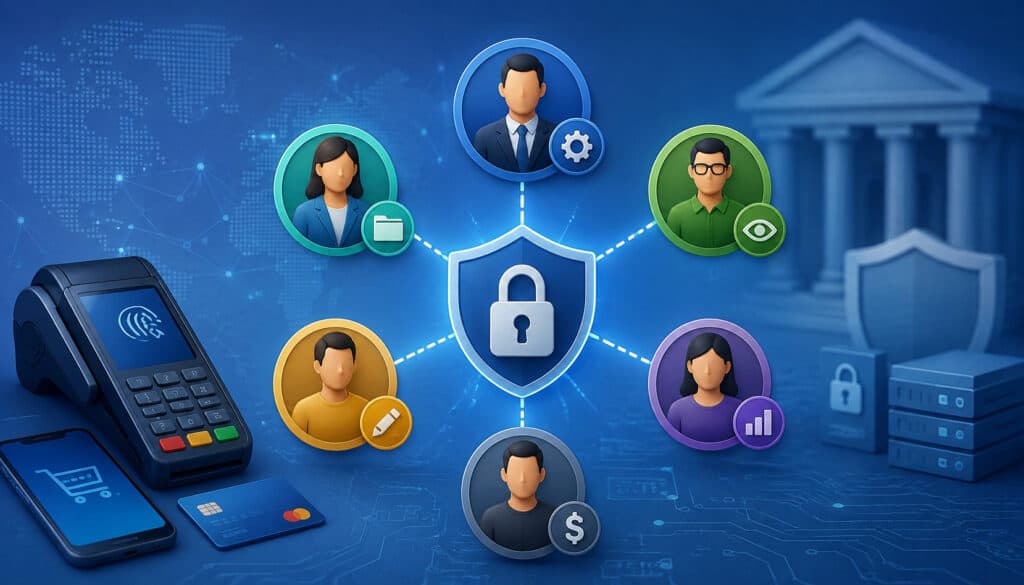
Role-based access control, or RBAC, assigns permissions according to job responsibilities instead of giving every user the same capabilities.
In a payment environment, that may mean one employee can key approved sales, another can reconcile settlements, and a supervisor can approve refunds, while only a tightly limited administrator group can manage users or change sensitive settings.
This approach supports two closely related principles: least privilege and need-to-know. A user should receive only the privileges and information necessary to perform an authorized job function.
PCI SSC similarly emphasizes restricting access according to business need and job responsibilities. Its guidance also stresses unique identification so actions can be attributable to individual users.
Effective role-based access control payments design should consider four questions:
- What does this employee need to accomplish?
- What functions are unnecessary for that job?
- Which high-risk actions should require another person?
- How will the company identify who performed each action?
This is the foundation of practical payment portal user permissions.
Recommended Virtual Terminal User Roles
Actual processor capabilities vary, so no single role structure fits every merchant. The following model is an internal-control framework rather than a universal processor configuration.
A Payment Entry User may need permission to enter approved customer payments and view enough transaction status information to complete the task. That user usually does not need the ability to create administrators, change bank information, raise transaction limits, or modify account-wide security settings.
A Customer Service User may need to research transactions, confirm payment status, and perform narrowly defined service actions. Refund authority can be restricted by amount, transaction type, or supervisory approval where the platform supports those controls.
A Refund Approver or Supervisor can review exceptional refunds, high-value transactions, void requests, or other sensitive activity according to documented procedures.
A Finance/Reconciliation User may need access to transaction reports, deposits, settlement data, and reconciliation tools without having any reason to key card information.
An Administrator manages accounts, roles, security settings, and related configurations. Because administrator privileges can affect other controls, these accounts deserve especially strong authentication and monitoring.
Illustrative Role and Permission Matrix
The following matrix shows how a merchant might separate duties. Actual capabilities depend on the provider, workflow, staffing model, and risk assessment.
| Permission | Payment Clerk | Customer Service | Supervisor | Finance | Administrator |
| Key transactions | Yes, limited | Optional, limited | Yes, if needed | No | Prefer no routine use |
| View transactions | Limited | Yes | Yes | Yes | Yes |
| Void transactions | Limited | Limited | Yes | View only | Configurable |
| Issue refunds | No or low limit | Low limit | Yes, controlled | View only | Prefer controlled |
| Export reports | No | Limited | Limited | Yes | Yes |
| Manage users | No | No | No | No | Yes |
| Change settings | No | No | Limited exceptions | No | Yes |
| Increase limits | No | No | Approval role | No | Controlled |
| Change bank details | No | No | No | Prefer separate approval | Tightly restricted |
The strongest matrix is not necessarily the one with the most restrictions. It is the one that maps permissions to real business duties while avoiding combinations that create unnecessary control over an entire payment lifecycle.
Unique Accounts, MFA, and Strong Authentication

Shared payment accounts undermine accountability. When five employees use one username, an audit log may identify the account but not the individual who initiated an action. Shared credentials also spread passwords among employees and make offboarding more difficult.
PCI SSC explains that the intent of its account-management and authentication requirements is to uniquely identify users so actions can be attributable to an individual.
Whenever the virtual-terminal provider supports it, assign one named account to each authorized user. Avoid generic identities such as “frontdesk,” “payments,” or “manager” for routine human activity when individual accounts are available.
Multi-factor authentication adds another layer by requiring more than one authenticator to establish identity. It should be especially important for:
- Administrator accounts
- Remote virtual-terminal access
- Privileged user-management functions
- Sensitive account configuration
- Users with substantial refund authority
- Other high-impact payment functions
CISA recommends MFA for business accounts and advises organizations to use phishing-resistant methods where available, particularly for privileged and sensitive access.
Password and Authentication Practices
Payment portal authentication should follow current security thinking rather than relying on outdated password rituals. NIST’s current authentication guidance addresses password security, authentication factors, protected authentication channels, and phishing-resistant authentication.
For merchants, practical controls include unique passwords, reputable password managers where organizational policy permits them, MFA, sensible session timeouts, login alerts, and rate limiting or account protections supplied by the provider.
Do not make employees reuse predictable password patterns merely to satisfy arbitrary complexity rules. More important objectives include preventing password reuse, blocking compromised credentials where supported, protecting authentication traffic, and requiring stronger authentication for privileged functions.
Keyed-Entry Transaction Limits and Velocity Controls
Keyed-entry transaction limits restrict how much or how frequently a virtual-terminal user can process manually entered payments. They are useful because they constrain the impact of both mistakes and intentional misuse without preventing employees from completing ordinary transactions.
Useful controls may include:
- Maximum dollar amount per transaction
- Maximum number of keyed transactions per day
- Daily aggregate dollar limits
- Transaction velocity rules
- User-specific payment limits
- Department or location limits
- Refund limits
- Approval requirements for exceptional amounts
There is no defensible universal dollar threshold that every merchant should use. A $2,000 virtual-terminal payment could be extraordinary for one business and routine for another.
Limits should instead reflect transaction history, job responsibilities, customer patterns, business seasonality, and the merchant’s tolerance for exceptional card-not-present exposure.
Setting Appropriate Keyed-Entry Limits
A practical process is:
- Measure normal transaction activity: Review typical ticket sizes, daily transaction counts, user responsibilities, locations, and seasonal variations.
- Identify exceptional use cases: Determine which legitimate transactions fall outside normal ranges and why.
- Separate routine and exceptional payments: Ordinary users should not automatically require limits large enough for rare transactions.
- Set user-level limits where supported: Match the permitted amount and volume to the employee’s duties.
- Require supervisory review for exceptions: High-risk activity can be routed to someone with additional authority.
- Review overrides: An override should generate evidence that can be examined later.
- Reassess limits periodically: Business patterns, staffing, and risk can change.
The objective of virtual terminal transaction limits is not simply to decline more payments. It is to make exceptional activity visible and require deliberate authorization when an employee steps outside the normal operating pattern.
Why High-Dollar and High-Velocity Activity Deserves Review
A high-dollar manually entered transaction can represent a perfectly legitimate purchase. It can also create greater exposure if the information is entered incorrectly, the customer disputes the payment, credentials are misused, or an employee acts outside authorized procedures.
That makes additional review appropriate rather than automatic rejection.
Velocity controls address a related problem. Several transactions entered rapidly may result from duplicate entry, a busy legitimate workflow, unusual customer behavior, or attempted fraud. Systems should therefore use velocity rules to trigger controls or review, not to make unsupported accusations about employees.
Useful contextual questions include:
- Is the activity normal for this user?
- Is it normal for this department?
- Are multiple declined attempts appearing?
- Are transaction amounts unusual?
- Is the activity occurring at an unexpected time?
- Was an authorized exception documented?
Refunds, Voids, Credits, and Approval Workflows
Refund privileges deserve special treatment because money moves in the opposite direction of a sale. An employee who legitimately needs to accept customer payments does not automatically need unrestricted authority to return funds.
Internal exposure becomes greater when users can issue refunds without reference to original transactions, exceed the original purchase amount where a system permits unusual credit functions, or repeatedly process credits without independent review.
A strong payment approval workflow can separate payment entry from higher-risk corrective actions.
Refund Approval Workflow
A practical refund process is:
- Locate the original transaction.
- Verify the customer, amount, and business reason.
- Use the processor-supported refund function associated with the original transaction where available.
- Apply the user’s authorized refund limit.
- Require supervisor approval when policy thresholds or exceptional circumstances apply.
- Record the reason and appropriate supporting documentation.
- Review unusual refund patterns through reconciliation or exception reporting.
Merchants should generally follow provider-supported processes that return funds in connection with the original transaction and payment method. An unrelated card should not be treated as a convenient substitute merely because it is available.
Void vs. Refund vs. Credit
A void typically cancels or stops a transaction before final settlement when the processor’s workflow allows it. A refund returns funds according to the provider’s rules after a transaction has progressed through processing or settlement. Exact timing and terminology vary by processor.
A “credit” may sometimes be used loosely as another term for a refund. However, some systems distinguish a linked refund from a standalone or unlinked credit.
Where standalone credits are supported, they deserve tighter refund permissions because the user may not be constrained by an existing sale in the same way as a referenced refund. Merchants should limit those capabilities to employees with a documented business need and review them separately.
Separation of Duties and Dual Approval
Separation of duties prevents one employee from exercising unnecessary control over every stage of the payment process.
A high-risk workflow may look like:
Payment Entry → Refund Approval → Reconciliation → User Administration
Giving one person unrestricted control over all four stages weakens independent oversight. Someone who can create users, process transactions, issue refunds, alter permissions, and reconcile the same activity may be able to make irregular transactions harder for the business to identify.
Larger organizations can divide these duties among payment operations, customer service, finance, administrators, and supervisors. Small businesses may not have enough employees to achieve complete separation.
Where staffing is limited, compensating operational controls can still help. An owner might review refunds weekly, an external bookkeeper could compare settlements to accounting records, or one manager could approve high-risk actions initiated by another employee.
Dual approval can be particularly useful for:
- Large refunds
- Unusually high keyed transactions
- Transaction-limit increases
- New administrator creation
- Major user-role changes
- Settlement bank-account changes
- Other sensitive configuration changes
Dual approval should not become a meaningless click-through. The approving person needs enough information to evaluate why the action is appropriate.
The same principle applies to the merchant account administrator. Administrator authority should ideally be separate from routine payment activity where practical. If the platform permits separate administrative and daily-use identities, a privileged employee can use the administrator account only when administrative work is necessary.
Payment Terminal Audit Logs and the Payment Audit Trail
A transaction report answers questions such as “What was charged?” and “What was refunded?” An audit log should answer broader accountability questions such as “Who performed this action, when did it occur, and what changed?”
PCI SSC describes the intent of logging as providing a record that can help establish who did what, where, when, and how when unexpected or unauthorized activity must be investigated.
Useful payment terminal audit logs or merchant-portal audit records may capture:
- Successful logins
- Failed logins
- Transaction entry
- Transaction approval or decline status
- Voids
- Refunds
- User creation
- User disabling
- Role changes
- Limit changes
- Report exports
- MFA changes
- Configuration changes
- Sensitive administrative actions
Provider capabilities differ, so merchants should ask specifically which actions their portal records rather than assuming every event is captured.
What a Useful Audit Log Should Record
| Audit Field | Why It Matters |
| User ID | Identifies the account responsible for the action |
| Timestamp | Establishes timing and sequence |
| Action | Shows what the user attempted or changed |
| Transaction/reference ID | Connects user activity to payment records |
| Amount | Helps identify financial impact |
| Result/status | Shows whether the action succeeded, failed, or was declined |
| Role/permission context | Helps determine what authority the user had |
| Source/device/IP where available | Adds context for investigation |
Audit logs should be protected against unnecessary access and modification. Appropriate retention, centralized monitoring, backups where needed, time synchronization, and controlled administrative access make logs more useful during review.
PCI DSS v4.x also places attention on protecting audit logs and reviewing security events.
What Should Never Be Added to Payment Logs
Logging more information is not automatically safer. Payment systems should avoid placing sensitive information into logs simply because logs are convenient to search.
Do not unnecessarily record:
- Full primary account numbers
- CVV, CVC, CID, or equivalent card verification values
- PINs or PIN blocks
- Full track data
- Passwords
- Authentication secrets
- API keys or other confidential credentials
PCI SSC states that PAN displays should be masked unless a party has a specific business need to see the full number. Card verification codes are sensitive authentication data and cannot be stored after authorization, even when encrypted.
The safest audit trail is one that provides enough context to reconstruct activity without becoming a repository for payment credentials.
Detecting Suspicious Internal Activity Without Jumping to Conclusions
Good transaction monitoring identifies patterns that deserve investigation. It should not label every anomaly as employee fraud.
Potential indicators include:
- A high refund count concentrated under one user
- Unusually large keyed transactions
- Transactions outside expected working hours
- Repeated failed portal logins
- Frequent transaction-limit overrides
- New account creation followed by unusual activity
- Unexpected changes to user roles
- Login activity from atypical locations where that data is available
- Standalone credits without an expected business explanation
- Refunds that do not correspond to recognizable sales
- Unusual report exports
- Sudden changes in transaction velocity
Each alert needs context.
An employee may work late during the month-end close. A supervisor may process several refunds because another employee is absent. A large transaction may be normal for a new customer contract. The objective is evidence-based investigation.
Virtual Terminal Transaction Monitoring
A practical monitoring process follows seven steps:
- Establish normal activity by role, location, amount, and transaction type.
- Identify high-risk actions that deserve additional visibility.
- Create exception reports or alerts where the provider supports them.
- Compare activity by user and department.
- Investigate anomalies with transaction, customer, and authorization context.
- Document conclusions and corrective actions.
- Adjust permissions, limits, training, or procedures when weaknesses are identified.
Daily or regular exception reports can prioritize high-value keyed transactions, refunds, voids, spikes in declines, manual credits, activity outside expected hours, and administrator changes.
This turns virtual terminal fraud prevention into an operational discipline instead of a one-time security configuration.
Internal Fraud vs. Employee Error
Unusual payment records can result from intentional misuse, but they can also point to weak training, duplicate entry, confusing permission structures, misunderstanding of voids and refunds, or an unusual but authorized customer situation.
Investigators should establish facts before assigning intent.
Review the user identity, timestamp, transaction reference, authorization history, documentation, approval records, related communications, and settlement impact. Interviews or disciplinary actions should follow appropriate management, legal, human-resources, and evidence-preservation procedures.
A good control framework protects employees as well as the business because reliable logs can show when an employee did not perform an action attributed to a department or shared workstation.
User Access Reviews, Onboarding, Role Changes, and Offboarding
Access management is not complete when an account is created. User permissions should change as employees join the company, switch jobs, take temporary assignments, or leave.
Periodic reviews should ask:
- Does this employee still require virtual-terminal access?
- Is the assigned role appropriate?
- Are any permissions excessive?
- Does the user still require refund capability?
- Is MFA enabled?
- Are inactive accounts disabled?
- Are temporary privileges still necessary?
- Does the employee have administrator access without a current business need?
PCI SSC has specifically highlighted the importance of reviewing accounts and related access privileges under the PCI DSS v4.x framework.
Secure Employee Lifecycle Workflow
For onboarding:
- Confirm a legitimate business need.
- Create an individual account.
- Assign the minimum appropriate role.
- Enable MFA.
- Document transaction and refund limits.
- Train the employee on authorized payment procedures.
- Confirm applicable acceptable-use and security policies.
- Test that permissions work as intended.
When an employee moves between customer service, finance, sales, management, or operations, review permissions rather than simply adding new access. Accumulated privileges can quietly turn an ordinary account into a highly privileged one.
For offboarding:
- Disable virtual-terminal access promptly.
- Revoke active sessions where supported.
- Remove privileged roles.
- Rotate shared secrets if any existed elsewhere in the environment.
- Review recent activity when circumstances warrant it.
- Document that offboarding was completed.
Administrator Accounts, Merchant Account Permissions, and Sensitive Changes
A merchant account administrator often has more power than ordinary virtual-terminal users. Depending on the provider, an administrator may create accounts, assign permissions, change transaction limits, configure security options, manage reporting access, or alter other sensitive settings.
That authority should be narrowly assigned.
Where practical, administrators should use separate privileged identities for administrative work rather than performing daily payments from the same account. MFA should protect administrative access, and changes should be logged and periodically reviewed.
Businesses should specifically ask whether their provider supports separate merchant account user permissions for:
- Payment entry
- Transaction research
- Refunds
- Voids
- Reports
- Report exports
- User management
- Role management
- API credentials
- Transaction limits
- Security settings
- Settlement or bank-account information
Bank-account changes are particularly sensitive because they can affect where merchant settlement funds are delivered. Access should therefore be restricted, strongly authenticated, and independently monitored or approved where the provider supports that workflow.
API credentials should also be managed separately from human user accounts. An API key, client credential, or integration secret represents software or system access; it should not be treated as though it were merely another employee username.
Human identities and machine identities require different lifecycle, storage, rotation, and monitoring practices.
Device and Remote-Access Security for Virtual Terminals
Strong payment access management can still be undermined by an unsafe workstation. Because virtual terminals operate through browsers or applications, device security is part of the payment-security environment.
Employees may attempt to use virtual terminals from offices, homes, unmanaged laptops, public networks, shared computers, or personal devices. Whether those arrangements are appropriate depends on the merchant’s security architecture, provider capabilities, and compliance obligations.
A controlled approach can require:
- Approved devices
- Supported and patched operating systems
- Updated browsers
- Endpoint security protections
- Automatic screen locks
- Individual workstation sessions
- Secure network access
- Restricted browser extensions
- MFA
- Remote-access controls
- Appropriate monitoring
Public or shared computers should not be treated as ordinary payment workstations. Personal devices can also create visibility, patching, malware, and access-control problems if the organization does not manage them.
When remote access is genuinely required, limit it according to role and business need rather than making the portal broadly accessible simply because browser access is convenient.
Employees should also avoid leaving the virtual terminal open while away from the workstation. Session timeout controls, screen locks, and reauthentication for sensitive actions can reduce that exposure where supported.
PCI DSS, Cardholder Data, CVV, Phone Payments, and Transaction Notes
Using a hosted virtual terminal can reduce the amount of payment technology a merchant operates directly, but it does not automatically eliminate every PCI DSS responsibility.
PCI SSC states that PCI DSS applies to entities that store, process, transmit cardholder data or sensitive authentication data, as well as systems that can affect the security of the cardholder data environment.
A merchant may still have responsibilities involving user access, employee devices, authentication, policies, account-data handling, service-provider management, and other controls depending on the architecture.
Do not assume a particular Self-Assessment Questionnaire solely because the merchant uses a hosted virtual terminal. Validation requirements depend on the payment environment and the instructions of the applicable acquirer or payment brand. PCI SSC advises merchants to consult their acquirer regarding validation and reporting obligations.
CVV and Avoiding Unnecessary Card Storage
A card verification value may be requested for an appropriate authorization in a card-not-present transaction, but PCI SSC classifies these values as sensitive authentication data. They must not be stored after authorization, even if encrypted.
Employees should therefore never place CVV values into CRM notes, spreadsheets, ticketing systems, chat messages, emails, or free-form transaction notes.
Full card numbers should likewise not be copied into business systems merely for convenience. Where possible, use provider-supported transaction references, customer profiles, or tokenized mechanisms appropriate to the merchant’s environment rather than replicating card data across unrelated systems.
This reduces unnecessary cardholder-data exposure and makes access control easier to manage.
Phone Payments and Call Recording Risk
Virtual terminals are frequently used for telephone payments. The customer-service workflow should minimize exposure to card information while allowing the authorized employee to enter required data directly into the approved payment environment.
Call recording requires particular care.
PCI SSC states that storing card verification values in digital audio recordings after authorization violates the applicable sensitive-authentication-data requirement. Its guidance recommends preventing sensitive authentication data from being recorded where possible, including using appropriate suppression or redaction technologies.
Organizations operating recorded contact centers should therefore design the payment workflow with their PCI compliance and technology teams rather than assuming ordinary call recording can continue unchanged while card information is spoken.
Free-form transaction notes require similar discipline. A payment reference, customer account number, invoice number, or approved business explanation may be useful. PAN, CVV, passwords, PIN information, and authentication secrets do not belong in those fields.
Reconciliation as an Internal Card Fraud Prevention Control
Reconciliation is one of the most practical internal controls because it compares what employees did in the virtual terminal with what the processor settled and what the business expected to receive.
A basic flow looks like:
Virtual Terminal Transactions → Processor Reports → Refund/Void Reports → Settlement → Bank Deposit
The reviewer should investigate unexplained differences between these records instead of assuming settlement automatically proves everything was correct.
User-level reconciliation can compare:
- Sales by user
- Refunds by user
- Voids by user
- Average transaction amounts
- High-dollar exceptions
- Manual credits
- Override counts
- Decline patterns
- Settlement differences
Independent review adds value because the reviewer is not merely confirming his or her own activity.
For example, suppose a customer-service user typically keys 15 to 20 payments per day and rarely performs refunds. A sudden cluster of eight refunds would warrant review. It may turn out that the user was assigned to resolve a legitimate billing problem, but the exception still deserves documentation.
Reconciliation also finds non-fraud problems. Incorrect posting, duplicate transactions, training errors, processor timing differences, and mistaken void/refund choices can all appear as inconsistencies.
The most useful payment fraud prevention controls are often those that improve both fraud resistance and routine operational accuracy.
Incident Response for Suspected Internal Card Fraud
When internal misuse is suspected, the business should protect evidence and restrict risk without prematurely destroying records or contaminating the investigation.
A defensive response sequence is:
- Preserve evidence: Retain available logs, transaction records, user-access records, approval records, and relevant documentation.
- Restrict affected access: Disable or limit accounts when authorized management determines that continued access creates risk.
- Notify appropriate personnel: Escalate to authorized management, information security, compliance, legal, or human resources according to policy.
- Review audit records: Establish what activity occurred and which accounts were involved.
- Identify affected transactions: Connect user activity to transaction references, refunds, settlements, and customer records.
- Contact the processor or acquirer when appropriate: Follow provider procedures for suspicious payment activity or account-security concerns.
- Follow applicable PCI and incident-response requirements: The exact obligations depend on the circumstances.
- Involve legal counsel or law enforcement where appropriate.
- Correct the control weakness: Change permissions, workflows, limits, authentication controls, training, or monitoring as required.
PCI DSS includes incident-response and information-security policy requirements as part of its broader framework.
What Not to Do During an Investigation
Do not delete logs, alter transaction records, remove evidence, or attempt to “clean up” systems before investigators understand what happened.
Do not circulate cardholder information to employees who have no reason to see it. Do not repeatedly test suspect credentials or attempt to reproduce suspicious transactions using real payment information without a legitimate, authorized procedure.
Businesses should also avoid impulsive confrontation when doing so could interfere with evidence preservation, organizational policy, employee safety, or a formal investigation. Management, legal counsel, human resources, security personnel, and law enforcement can help determine the appropriate response depending on the circumstances.
The purpose is to establish what happened using reliable evidence.
Common Virtual Terminal Security Mistakes and a Practical Checklist
Many failures in virtual terminal access controls come from convenience rather than sophisticated attacks. One shared login seems easier to manage. Giving everyone administrator privileges avoids permission requests. Unlimited refunds reduce supervisory work.
Each shortcut weakens accountability.
Common mistakes include:
- One login shared by multiple employees
- Administrator rights granted broadly
- No payment portal MFA
- Unlimited manual card entry
- No per-user transaction limits
- Unrestricted refund capabilities
- No approval process for exceptions
- Audit logs that nobody reviews
- Inactive employee accounts left enabled
- Card data placed in spreadsheets or notes
- Excessive report-export privileges
- No documented offboarding procedure
- Temporary privileges that never expire
- Poor device security
- No periodic user-access review
A security checklist turns those principles into something management can verify.
| Control | What to Verify |
| Unique user accounts | Every authorized employee has an attributable identity |
| Role-based access | Permissions match documented job functions |
| Least privilege | Users cannot perform unnecessary high-risk actions |
| MFA | Strong MFA is enabled where supported, especially for privileged users |
| Keyed-entry limits | User limits reflect normal business activity |
| Refund limits | Refund authority is appropriately restricted |
| Dual approval | Sensitive exceptions receive independent authorization where appropriate |
| Admin restrictions | Administrator privileges are limited and monitored |
| Audit logs | Key payment and account events are attributable and retained appropriately |
| Exception reporting | High-risk or unusual events receive review |
| Offboarding | Departing users are disabled promptly |
| PCI controls | Cardholder and authentication data are handled appropriately |
| Incident response | Evidence-preservation and escalation procedures are documented |
Questions to Ask Your Virtual Terminal Provider
A merchant cannot implement a control the payment portal does not support. Provider due diligence should therefore go beyond asking whether the virtual terminal is “secure.”
Ask precise operational questions:
- Can every employee receive a unique user account?
- Which RBAC permissions can be assigned separately?
- Can keyed transaction limits be configured per user?
- Can daily transaction volume or dollar limits be configured?
- Can refund permissions be limited independently from payment-entry permissions?
- Are standalone or unlinked credits separately restricted?
- Can high-risk transactions require approval?
- Does the portal support MFA?
- Which MFA methods are available?
- Can administrator actions be logged?
- Are user creation and permission changes recorded?
- How long are audit logs available?
- Can audit information be exported to an authorized monitoring system?
- Are login, IP, or device events recorded?
- Can inactive accounts be automatically disabled?
- Can temporary privileges expire automatically?
- Are settlement bank-account changes separately protected?
- Does the interface mask PAN when full display is unnecessary?
- What transaction and security alerts are supported?
- Can reporting and exporting permissions be assigned independently?
- Can administrators restrict users by location, department, or other operational group?
These questions also help merchants distinguish account-level permissions from transaction-level controls. A role may determine whether a person can issue refunds at all, while a refund limit determines how large a refund that person can perform without escalation.
That distinction is critical when comparing virtual-terminal platforms.
Building a Practical Virtual-Terminal Security Policy
A useful policy should translate technical controls into repeatable operating rules.
Start by identifying who owns the virtual-terminal program. Depending on the business, responsibility may sit with finance, payment operations, IT, compliance, or a combination of teams.
The policy should then define:
- Who qualifies for access: Access should require an approved business reason.
- How users are identified: Each person should receive an individual account wherever supported.
- How roles are assigned: Permissions should reflect job responsibilities and least privilege.
- Which authentication controls apply: Define MFA and device requirements.
- What transaction limits apply: Specify how limits are determined and who can approve exceptions.
- How refunds and credits are controlled: Document approval, reason-code, and review expectations.
- How administrative privileges are governed: Limit who can create users or modify sensitive settings.
- How activity is monitored: Define exception reports, log reviews, and reconciliation responsibilities.
- How payment information may be handled: Prohibit inappropriate storage in email, notes, recordings, and spreadsheets.
- How access changes are managed: Cover onboarding, role changes, temporary privileges, and offboarding.
- How incidents escalate: Identify authorized decision-makers and evidence-preservation requirements.
- How the policy is reviewed: Update controls when technology, staffing, transaction patterns, or provider capabilities change.
A policy should be specific enough that two supervisors handling the same situation reach substantially similar decisions. Vague rules such as “use good judgment for large refunds” provide little consistency.
The policy should also distinguish deliberate misconduct from accidental error. Controls can prevent and detect both, but personnel investigations require evidence, appropriate management procedures, and context.
Frequently Asked Questions
What is a virtual terminal?
A virtual terminal is a browser-based or software payment interface that lets an authorized merchant employee manually enter customer payment information. It is commonly used for telephone payments, mail orders, accounts receivable, and customer-service transactions.
Unlike a physical payment terminal, the employee generally types payment details into an online interface rather than having the customer insert, tap, or swipe a card through a device.
Because these transactions are commonly card-not-present, access controls, manual card entry security, authentication, and transaction monitoring are especially important.
Are virtual terminals safe?
Virtual terminals can be operated securely when the provider, merchant, employee devices, accounts, and payment processes are properly controlled. Security should include unique accounts, appropriate user permissions, MFA, transaction limits, secure workstations, logging, monitoring, and careful card-data handling.
A hosted solution does not make internal controls unnecessary. Merchant practices such as shared passwords, excessive administrator rights, unrestricted refunds, or copying card numbers into spreadsheets can create risk regardless of the underlying provider.
What are virtual terminal access controls?
Virtual terminal access controls determine who can enter the payment portal and what each authenticated user may do.
Controls may include individual accounts, RBAC roles, transaction permissions, refund permissions, transaction limits, administrator restrictions, MFA, session controls, and audit logging.
Strong access design combines account-level permissions with transaction-level restrictions so an employee receives only the capabilities necessary for the person’s job.
What is role-based access control for payments?
Role-based access control (RBAC) payment management assigns payment capabilities according to a user’s job responsibilities.
For example, a payment clerk might be permitted to key transactions but not change users or bank settings. Finance may receive settlement-report access without card-entry permissions, while administrators manage users and configurations.
RBAC helps enforce least privilege and separation of duties while making permissions more consistent and easier to review.
Should employees share a virtual terminal login?
Employees should generally use individual accounts whenever the platform supports them.
Shared accounts weaken accountability because audit records may identify only the shared username instead of the specific employee who took an action. Individual accounts also make role changes and offboarding easier.
PCI SSC emphasizes unique identification so actions affecting payment environments can be attributable to individual users.
How can merchants limit keyed-entry transactions?
Merchants can use provider-supported keyed-entry transaction limits such as maximum per-transaction amounts, daily dollar limits, transaction counts, velocity controls, refund limits, and user-specific restrictions.
Limits should be based on the merchant’s normal activity rather than an arbitrary industry-wide threshold. Exceptional transactions can receive supervisory review where approval workflows are available.
Should every employee be able to issue refunds?
No. Refund authority should match job responsibilities.
A payment-entry employee may have no refund permission, a customer-service employee may have limited authority, and a supervisor may approve larger or exceptional refunds. Merchants should also distinguish referenced refunds from standalone credits where the provider supports both.
Restricting refunds reduces misuse while creating clearer accountability for customer adjustments.
What should a virtual-terminal audit log contain?
A useful audit log should identify the user, timestamp, action, result, and affected transaction or configuration. Amount, role context, and source information such as IP or device data can also help where available.
Logs should cover important events such as logins, failed logins, refunds, voids, user creation, permission changes, limit changes, report exports, MFA changes, and sensitive configuration changes. Provider capabilities vary, so merchants should confirm exactly what their system records.
Can audit logs include full card numbers?
Full PAN should not be logged unnecessarily. PCI SSC states that PAN should be masked when displayed unless the person viewing it has a specific business need to see the complete number.
Sensitive authentication data requires even tighter treatment. CVV and equivalent card verification codes cannot be stored after authorization, including in logs.
Use transaction IDs, masked account references, and other non-sensitive identifiers whenever they provide enough information for investigation.
How does MFA protect a virtual terminal?
MFA requires multiple authentication factors before access is granted, reducing dependence on a password alone.
It is particularly valuable for remote access, administrators, users with refund authority, and other privileged accounts. CISA recommends businesses deploy MFA broadly and use phishing-resistant methods where possible.
MFA does not replace user permissions or transaction controls, however. An employee who legitimately authenticates can still misuse excessive privileges, which is why layered controls are necessary.
How can merchants detect internal card fraud?
Merchants can compare user activity against normal patterns and investigate exceptions.
Indicators can include unusually high refund counts, high-dollar keyed transactions, unexpected account changes, repeated failed logins, unexplained credits, abnormal transaction velocity, activity outside normal working patterns, or unusual report exports.
These events should trigger review rather than automatic accusations. Transaction history, approvals, customer records, access logs, settlement information, and business context should be examined together.
What should happen when an employee leaves?
The employee’s payment access should be disabled promptly as part of formal offboarding.
The merchant should also revoke active sessions where supported, remove privileged access, address any shared secrets affected by the departure, document completion, and review recent activity when circumstances justify it.
Offboarding should cover the virtual terminal even when the employee accessed it only occasionally.
Does using a hosted virtual terminal eliminate PCI obligations?
No. A hosted virtual terminal can change or reduce parts of the merchant’s payment-data environment, but it does not automatically eliminate all PCI DSS responsibilities.
Merchant devices, user access, authentication, card-data handling, policies, third-party relationships, and other components can still matter depending on the environment.
Merchants should determine their applicable compliance-validation requirements with their acquirer or relevant payment-program authority rather than assuming a specific SAQ solely from the words “hosted virtual terminal.”
How should phone payments be handled securely?
Employees should enter required payment information directly into the approved virtual-terminal workflow and avoid copying card information into notes, spreadsheets, chat systems, email, or unrelated applications.
Recorded calls require additional care. PCI SSC states that sensitive authentication data such as card verification values cannot remain stored in digital audio recordings after authorization and recommends preventing such data from being recorded where possible.
Organizations with recorded contact centers should implement an appropriately designed payment and recording process.
What should a merchant do if internal payment fraud is suspected?
Preserve available evidence, restrict risky access through authorized procedures, notify appropriate management or security personnel, review audit and transaction records, determine which transactions may be affected, and contact the processor or acquirer where necessary.
Do not delete logs, alter records, conceal evidence, or unnecessarily expose cardholder data during the investigation. Depending on the circumstances, legal counsel, human resources, compliance personnel, forensic specialists, or law enforcement may need to participate.
Conclusion
Virtual terminals make card-not-present payments practical for phone orders, accounts receivable, customer service, professional services, and many other merchant workflows. That convenience also means the payment portal should be treated as a controlled financial system rather than a generic employee application.
Effective virtual terminal fraud prevention starts with identity and accountability. Give authorized employees individual accounts, implement role-based access control payments, apply least privilege, use MFA, and prevent ordinary users from acquiring unnecessary administrative authority.
Then control the transactions themselves. Appropriate virtual terminal transaction limits, velocity monitoring, refund restrictions, supervisory approvals, and tighter controls for standalone credits can make unusual activity more visible and limit the impact of mistakes or misuse.
Finally, make activity reviewable. Strong payment terminal audit logs, transaction monitoring, user-level reconciliation, access reviews, and documented incident response allow a merchant to investigate what actually happened instead of relying on assumptions.
No individual control eliminates internal payment fraud. A practical defense comes from combining:
Individual identity → Minimum permissions → Transaction limits → Approval controls → MFA → Audit logging → Independent review → Prompt access changes
When those controls reinforce one another, merchants can improve accountability, protect cardholder information, reduce opportunities for unauthorized transactions and fraudulent refunds, and respond more effectively when something does not look right.
Informational and payment-security disclaimer: This guide provides general security and internal-control information and is not legal, compliance, forensic, or PCI assessment advice. PCI DSS scope, validation requirements, payment-brand rules, processor capabilities, and regulatory obligations vary by merchant and environment. Confirm applicable requirements with your acquirer, payment processor, qualified security professionals, legal counsel, and the current official PCI Security Standards Council materials.