By Manoj Bhatt September 8, 2026
A pay at the table terminal can remove several unnecessary trips between the dining room and a fixed POS station, but the hardware itself is only one part of the decision.
For a full-service restaurant, the important questions are whether the handheld can retrieve the actual POS check, handle the restaurant’s preferred split-check method, collect the guest’s tip correctly, maintain reliable connectivity throughout the property, and post the completed payment back to the check without creating reconciliation work.
A well-integrated setup can follow a straightforward sequence:
POS check opened → server retrieves check on handheld → guest reviews or splits it → guest inserts or taps at the table → tip is entered → payment completes → check synchronizes or closes → receipt is delivered → payment reconciles.
A standalone wireless terminal may look similar but work very differently. The server might have to read the total from the POS, manually enter it into the terminal, process the card, and then return to the POS to record the payment and close the check.
For most full-service restaurants, the greatest operational value comes when the handheld is integrated with the restaurant’s POS check workflow. WiFi can work extremely well where coverage is engineered throughout the dining room, while 4G/LTE or a hybrid device can be useful on patios, in difficult coverage areas, or as part of a resilience strategy.
The correct order is therefore workflow first, wireless testing second, hardware selection third.
How a Pay-at-the-Table Terminal Changes Restaurant Checkout
Traditional restaurant card payment contains more separate actions than many operators realize.
The server presents a paper check, leaves the table, returns when the guest provides a card, carries the card to a POS or countertop terminal, starts the payment, returns with a receipt, waits for the guest to write a tip, and later enters that tip into the system.
A pay-at-the-table workflow moves much of that process into one guest-facing interaction.
| Stage | Traditional Workflow | At-Table Workflow |
| Check presentation | Paper check normally delivered | Check can be reviewed on handheld or accompanying receipt |
| Card handling | Server may carry card away | Guest generally inserts or taps at the table |
| Authorization | Performed at POS/terminal away from table | Initiated at the table |
| Tip | Often written on receipt afterward | Guest may enter/select tip on device before completion |
| Tip recording | May require later staff adjustment | Can post digitally through supported workflow |
| Check closure | May require another POS step | Integrated system may update/close check immediately |
| Receipt | Printed paper commonly returned | Print, email, text, or other supported option |
Current restaurant POS documentation demonstrates why integration is important. Square, for example, documents tableside workflows that can open restaurant checks and supports splitting by item or seat under applicable restaurant plans and configurations.
Toast’s current POS documentation similarly describes payment, split-check, tip-selection, receipt, and handheld workflows across its supported devices. Those examples demonstrate capabilities that integrated systems can offer; they should not be treated as capabilities of every restaurant handheld.
An operator comparing systems should therefore avoid asking only, “Does this terminal take cards wirelessly?”
Ask instead:
Can this handheld operate the restaurant check that already exists in my POS?
That is the difference between a mobile extension of restaurant operations and a payment machine that merely happens to be portable.
How Tableside Tip Prompts Differ From Tip Adjustment
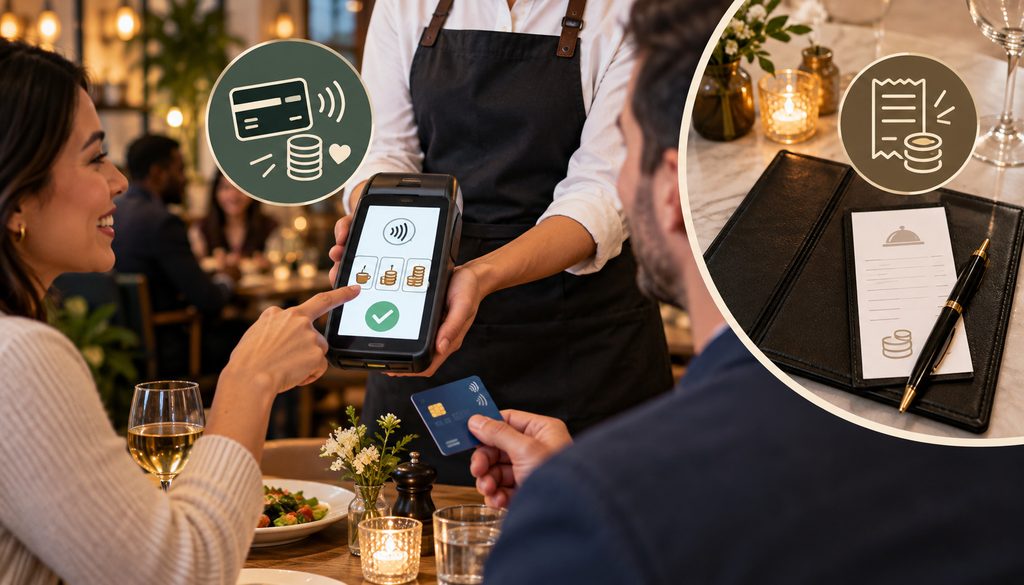
A restaurant tip prompt on device changes when and how the gratuity amount enters the payment workflow.
In a traditional full-service process, the restaurant commonly obtains an authorization around the initial check amount, prints a receipt, lets the customer write a tip, and later has a server or another employee enter the tip through the supported POS or processor workflow.
That introduces a human transcription step.
Someone must correctly match the signed receipt to the payment and correctly enter the amount. Errors can include:
- selecting the wrong transaction;
- entering the wrong receipt’s tip;
- typing $20 instead of $2;
- shifting a decimal;
- forgetting to enter a tip;
- entering a tip twice through an incorrect operational process.
With tableside payment, supported systems can let the guest select a preset tip, enter a custom amount, or decline a voluntary tip before the payment workflow is finalized.
Square’s current description of pay-at-table functionality, for example, states that guests can confirm the total and add a tip as part of the tableside interaction. Toast’s current POS documentation also describes tip-selection screens in its payment workflow.
This does not mean every handheld processes tipping identically. Restaurants still need to verify whether their specific POS, processor, payment application, and merchant configuration use a guest-entered final amount, an adjustment workflow, or another supported mechanism.
Why direct guest entry can reduce adjustment errors
The benefit is not that digital tipping is incapable of producing errors. Rather, one manual transcription stage can disappear.
Instead of:
Guest writes $18.00 → employee reads $18.00 → employee types $18.00
the workflow can become:
Guest selects or enters $18.00 → device shows total → supported payment workflow records it.
That reduces opportunities for handwritten receipt interpretation and manual re-entry mistakes.
A well-designed interface should also clearly distinguish the check amount, tax, voluntary tip, any applicable service charge, and final total. Restaurants should avoid confusing defaults or interface choices that make guests unsure what they are approving.
Tip disputes and confirmation
Digital tip entry may also create a clearer transactional record of the amount shown and submitted through the payment workflow.
That can be preferable operationally to relying solely on a handwritten receipt that later needs to be matched to an adjusted payment. However, it does not guarantee the merchant will win a payment dispute.
Dispute outcomes depend on the facts, the applicable card-network and processor rules, transaction data, merchant documentation, authorization circumstances, and the reason for the dispute.
The right objective is better records and fewer manual mistakes—not a promise of chargeback immunity.
Why Keeping the Card at the Table Reduces Payment Exposure
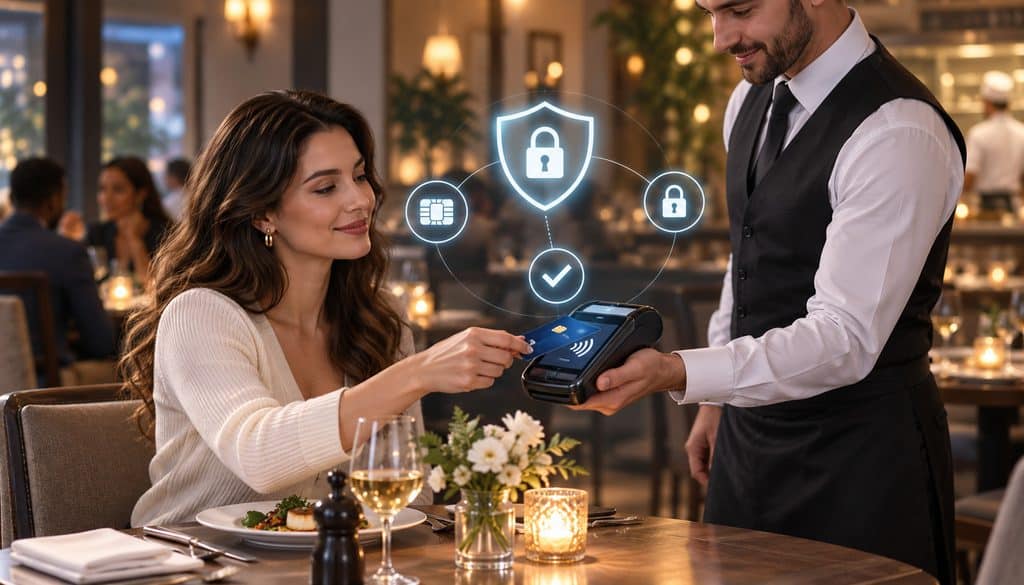
One of the less visible benefits of a tableside card terminal is reduced unnecessary handling of the customer’s physical card.
With the traditional restaurant process, the customer may hand the card to a server who then walks through the restaurant and processes it somewhere outside the customer’s immediate view.
With tableside checkout, the customer can usually retain control of the card, inserting it into the EMV reader or tapping the card, phone, or supported wallet directly on the payment device.
This reduces the opportunity for an employee or other bad actor to copy information from the card while it is away from the guest.
The correct claim is reduced exposure, not elimination of fraud.
A dishonest actor can still commit fraud in numerous ways, and a compromised payment environment can create risk regardless of where the device is physically located. The restaurant still needs approved hardware, strong access controls, current software, device inspection, and appropriate network security.
Restaurants should also confirm that the handheld supports the processor-approved chip and tap methods required for the environment. Older equipment may need to be replaced with EMV-compliant terminals before the restaurant can build a reliable tableside workflow.
Card-present data is different from manual key entry
Restaurants should also distinguish a properly performed chip or contactless transaction from manually typing a card number because the electronic read failed.
Visa’s current Transaction Acceptance Device Guide states that, where possible, transactions should be electronically read by inserting or tapping the chip card or reading the appropriate electronic credential, because electronically read information gives the issuer useful transaction and risk-management data. Visa separately notes that manually keyed transactions may carry chargeback exposure.
That does not mean every EMV or contactless restaurant payment is immune to disputes or fraud.
It means a normal card-present EMV/contactless workflow preserves transaction data and payment characteristics that are different from simply typing the account number into a terminal.
For a restaurant, that is another reason the outage plan should not be, “If the handheld stops connecting, just type everyone’s cards.”
Integrated Handhelds vs. Standalone Wireless Terminals
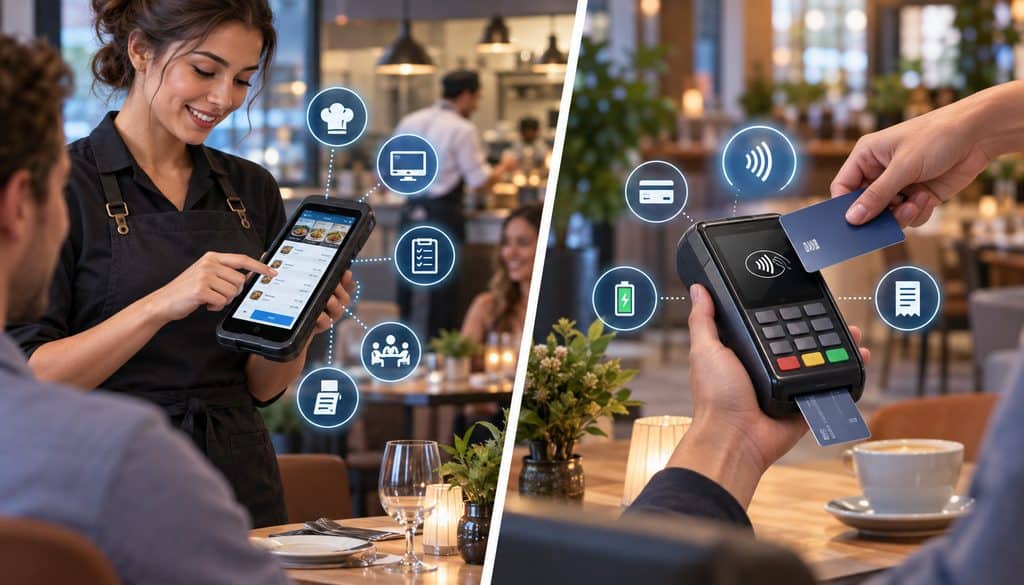
This is usually the most important purchasing decision.
Two terminals can both have touchscreens, batteries, WiFi, contactless readers, and modern Android-style interfaces while producing completely different restaurant workflows.
Integrated handheld
An integrated restaurant handheld communicates with the restaurant POS or operates as part of that POS environment.
Depending on the platform and configuration, it may allow an employee to:
- retrieve an open table;
- view the existing check;
- assign or manage seats;
- split the check;
- accept payment;
- collect a tip;
- post the payment directly;
- update the remaining balance;
- close the check;
- deliver a receipt.
Square currently documents tableside ordering and payment functionality through its restaurant mobile POS and, under eligible configurations, supports check splitting by seat and item. Toast’s current payment documentation covers finding checks, splitting them, collecting payment, selecting tips, and delivering receipts on supported restaurant hardware.
Those are platform-specific examples, not universal handheld specifications.
Standalone wireless terminal
A standalone tableside payment device may not know anything about the restaurant’s POS check.
A common workflow is:
POS displays $126.72 → server types $126.72 into wireless terminal → guest pays → server returns to POS → employee records payment → check is closed.
The device can still provide genuine tableside card acceptance. That can be useful for a smaller independent restaurant that has a simple POS, does not need complex splitting, or cannot justify replacing the existing restaurant system.
But the workflow has more manual reconciliation points.
| Feature | Integrated Handheld | Standalone Wireless Terminal |
| Retrieve POS check | Often possible where supported | Usually no |
| Automatic amount transfer | Common goal of integration | Usually manual |
| Seat/item splitting | May be available through POS | Generally handled separately in POS |
| Remaining balance update | Can update through integration | Usually manual/separate |
| Tip synchronization | Can be automated | Configuration-dependent |
| Automatic check closure | May be supported | Usually requires POS action |
| Reconciliation effort | Generally lower | Usually higher |
| POS compatibility | Essential | Less dependent on POS |
| Deployment simplicity | Integration/configuration required | May be simpler for basic payment acceptance |
For more on the broader technical distinction, see integrating payment terminals with an existing merchant-services environment.
Why integration matters more than the device shape
A restaurant should never purchase a handheld from a specification sheet that says only:
- WiFi;
- 4G;
- EMV;
- NFC;
- touchscreen;
- printer.
Those describe hardware characteristics, not restaurant operations.
The real test is whether the device can interact correctly with the restaurant’s check database and POS workflow.
A beautifully designed terminal that forces employees to manually transfer every total can create more labor and reconciliation risk than a less glamorous device tightly integrated with the POS.
How Split Checks Work on a Handheld Terminal
The phrase split checks on handheld terminals can refer to several different operations.
A restaurant may need:
- equal division of a remaining amount;
- split by seat;
- split by item;
- custom dollar amounts;
- multiple tenders on one check.
These are not interchangeable.
| Split Type | How It Works | Integration Requirement |
| Equal split | Remaining balance divided among payers | Requires POS/payment workflow capable of tracking portions |
| Seat-level | Items associated with each seat become separate payable totals | Accurate seat tracking in POS is important |
| Item-level | Selected menu items move to separate checks/portions | Requires detailed POS check integration |
| Custom dollar | Specific dollar amounts are assigned to payments | POS/payment support required |
| Split tender | Different payment methods cover portions of one obligation | Depends on POS/payment tender support |
Current Square restaurant documentation is a good example of why operators must verify these capabilities at the POS-plan level, not simply at the hardware level. Square documents check splitting by item and seat for supported Restaurant configurations, along with payment splitting by amounts and multiple payment types.
For example, current Square restaurant check-splitting documentation confirms support under eligible configurations for splitting by seat, item, and payment amount.
Seat-Level Splitting
Seat-level payment works best when the POS has accurate seat information from the beginning of service.
Suppose a four-top has:
- Seat 1: steak and iced tea;
- Seat 2: salmon and wine;
- Seat 3: pasta;
- Seat 4: pasta and cocktail;
- Table: one shared appetizer.
If servers consistently assign ordered items to the correct seat, an integrated handheld can potentially retrieve those relationships later and create separate seat checks according to the POS’s rules.
If the server entered everything under “Table” all night, the payment device cannot magically reconstruct who ate what.
Square’s current seat-management documentation illustrates this relationship: items can be assigned to seats, checks can then be created for individual guests, and its supported restaurant configuration can split by seat.
The lesson is operational: good payment splitting begins with good order entry.
Item-Level and Equal Splits
Item-level splitting is useful when guests do not want to pay by seat.
Guest A might cover two entrées, Guest B the wine, and Guest C the appetizers.
An integrated POS can potentially let the server select items and create new checks without manually recalculating totals. Shared items may also be divided where the particular POS supports that behavior.
Square, for example, currently documents item splitting and even fractional division of supported items under eligible configurations. That is a verified Square capability, not evidence that every restaurant POS can do the same.
Equal splitting is conceptually simpler: divide a remaining balance among a selected number of payers.
But restaurants should still test tax, discounts, service charges, rounding, partially paid checks, and subsequent tipping because those details are controlled by the POS and payment application.
Split tender is different
Split tender means paying an obligation with multiple payment methods.
Examples include:
- card + cash;
- two credit cards;
- gift card + credit card;
- other combinations permitted by the POS.
That is different from “partial authorization,” in which a payment issuer or processing system authorizes less than the originally requested amount under a defined payment workflow.
For restaurant staff, the safest training language is to call multiple payment methods split tender rather than using payment-network terminology incorrectly.
Why integrated splitting is easier
The advantage of integration becomes obvious after the first payment.
If four guests are paying separately, a good integrated workflow can update the remaining restaurant balance after each completed payment.
With a standalone wireless terminal, the server may instead need to:
- calculate a portion at the POS;
- manually type it into the terminal;
- process payment;
- record the payment at the POS;
- recalculate the remaining check;
- repeat.
Each extra transfer is another place for a mismatch.
WiFi vs. 4G Payment Handhelds
The WiFi vs 4G payment handheld decision has no universal winner.
WiFi is often efficient and predictable inside a restaurant that has professionally designed wireless coverage.
Current Toast Go 3 connectivity documentation illustrates why operators must check the exact model: Toast offers separate WiFi and WiFi-plus-cellular versions, with documented switching behavior on the cellular model.
Cellular can be useful when service extends beyond good restaurant WiFi coverage, when outdoor spaces are difficult to cover, or when the device and POS architecture support cellular as a backup connection.
But 4G/LTE has dead zones too.
| Connectivity | Best Fit | Main Advantage | Main Risk |
| WiFi | Well-covered indoor restaurant | Uses managed restaurant network | Dead zones/roaming problems if network is poorly designed |
| Cellular/LTE | Areas with strong carrier service | Less dependent on restaurant WLAN | Weak indoor carrier signal or cellular outage |
| WiFi + LTE | Supported systems needing additional resilience | Can provide another connection path | Failover behavior and cost vary by device |
| WiFi only + approved offline function | Controlled outage strategy | May keep eligible payments moving | Offline payments can introduce authorization/decline risk |
Dining-Room Dead Zones and Access Points
Restaurant WiFi problems often appear in places that were not considered when the network was installed:
- corners behind structural walls;
- stairwells;
- basements;
- private rooms;
- patio entrances;
- areas near walk-in coolers;
- bars surrounded by equipment;
- outdoor tables;
- event spaces behind multiple walls.
The goal is not merely “the restaurant has WiFi.”
The goal is reliable handheld connectivity wherever a server stands while the guest is attempting payment.
A laptop working in the manager’s office proves almost nothing about coverage beside table 42 on a packed Saturday evening.
Larger dining rooms should generally avoid treating one consumer-grade router at the office desk as a complete wireless design. Access points need to be positioned based on the site’s construction, traffic, interference, client density, and actual service areas.
Servers also move constantly between access points. A handheld therefore needs to maintain usable connectivity as it roams around the restaurant. Poor roaming or access-point configuration can cause a device that looked fine in a stationary test to hesitate or disconnect during real service.
Payment network vs. guest WiFi
A restaurant should not casually make its payment handheld dependent on the same uncontrolled public network that guests use.
PCI SSC states that payment terminals are in scope when they store, process, or transmit account data and that the controls applicable to them depend on the environment.
PCI SSC also explains that appropriate network segmentation can reduce scope where systems are effectively isolated, but it does not prescribe one universal segmentation architecture for every merchant.
The practical objective is to use the processor/POS-approved network design with appropriate access controls rather than improvising because a guest SSID happens to reach the patio.
Patios, Private Rooms, and Failover
Outdoor dining often exposes weaknesses that were invisible when the payment system was installed.
An indoor access point may provide excellent coverage through the dining room but weak service at the far edge of a patio.
Three possible approaches are:
- extend properly designed WiFi coverage outdoors;
- use a cellular-capable handheld where the vendor and POS support that architecture;
- deploy a hybrid WiFi/cellular model.
Private dining rooms create a similar problem. Thick partitions, separate floors, old masonry, and temporary event layouts can change RF conditions substantially.
Cellular is not automatically better. Basement restaurants and dense buildings can have excellent WiFi but poor carrier reception.
Current hardware also demonstrates why failover must be verified rather than assumed. Toast currently offers WiFi and WiFi-plus-cellular variants of Toast Go 3; its documentation says the WiFi-plus-cellular version can switch between the two automatically, with WiFi prioritized when both are enabled.
Square’s current Handheld documentation, by contrast, describes the U.S. device as requiring WiFi for normal portable connectivity and separately supports qualifying offline-payment functionality.
Therefore ask:
- Does this exact hardware contain a cellular modem?
- Which carrier or connectivity arrangement does it use?
- Is LTE included, optional, or separately billed?
- Does it switch automatically?
- What happens to a transaction already underway?
- Can the application determine whether the payment actually completed?
- Could a retry create a duplicate?
- How is the check synchronized after reconnection?
Do not accept “it has backup” as a complete answer.
Test wireless coverage before buying the fleet
Before buying 15 devices, test the intended equipment through the whole building.
Walk:
- every dining-room section;
- the bar;
- patio edges;
- basement areas;
- stairwells;
- private rooms;
- banquet spaces;
- host stand;
- server alleys.
Run actual approved test transactions rather than checking only WiFi signal bars.
Ideally, repeat tests under the conditions that resemble normal service. A quiet Tuesday morning does not perfectly reproduce a dining room filled with customers, staff devices, guest phones, neighboring wireless networks, and active kitchen systems.
If failover is part of the proposed architecture, test failover too.
Battery Life, Charging Docks, and Shift Management
A payment terminal battery should be evaluated as an operational resource, not just a specification-sheet number.
Battery consumption can change with:
- screen brightness;
- amount of screen-on time;
- WiFi activity;
- cellular radio activity;
- payment volume;
- POS/order-entry workload;
- integrated printing;
- peripheral use;
- battery age;
- charging habits.
First-party specifications can be useful but should not replace in-restaurant testing.
For example, Toast currently publishes a 24+ hour battery-life specification for Toast Go 3 and a stated charging time of 4.5 hours from 0% to 100%.
Square currently describes its U.S. Handheld battery as designed to last through a shift but does not give an hourly runtime on the U.S. product page reviewed for this article. Those claims apply only to those named products and should not be generalized to competing handhelds.
Charging docks and shift discipline
Charging is as much a staff process as a hardware feature.
Possible systems include:
- USB charging;
- single-device docks;
- multi-device docks;
- scheduled mid-shift charging;
- device rotation.
A restaurant with eight handhelds but only one reliable place to charge them can still face a service problem.
The opening checklist should identify each device and its battery state. The closing checklist should require devices to return to the assigned charging location rather than disappearing into server aprons, lockers, offices, or drawers.
Charging discipline should be accompanied by routine mobile payment terminal maintenance, including inspection of charging contacts, physical damage, battery condition, and other issues that can take a device out of service during a busy shift.
How Many Handhelds Does a Restaurant Need?
There is no defensible device-to-cover formula that works for every restaurant.
Fleet size depends more heavily on peak concurrency and workflow than annual sales or total nightly covers.
| Factor | Why It Matters | Effect on Fleet Size |
| Servers on peak shift | More simultaneous users | Usually increases demand |
| Concurrent closing tables | Payments cluster rather than occur evenly | Can create device queues |
| Ordering on handheld | Device is occupied throughout meal, not just checkout | Often increases demand |
| Shared vs assigned devices | Shared units reduce purchase count | Can create waiting |
| Split-check frequency | Complex tables occupy device longer | Can increase peak demand |
| Patio/private rooms | Distance makes sharing harder | May justify extra units |
| Charging method | Units may temporarily be unavailable | Requires capacity buffer |
| Device reliability | Failures can reduce usable fleet | Spare strategy may be needed |
Illustrative small dining-room scenario
Imagine four servers at peak.
If handhelds are used only for payment and servers can share them conveniently, two devices might be workable in one restaurant.
In another restaurant with the same four servers, every server may need a device because the handheld is also used for ordering, course firing, check management, and payment.
A possible planning range of two to four devices for four servers is therefore only an illustration of how different operating models affect fleet size—not a recommendation or industry standard.
Illustrative larger restaurant
Consider a restaurant with 10–12 servers at peak.
If every server uses a handheld for both ordering and payment throughout the shift, sharing a few terminals can create device queues at the same moment several tables need service.
If handhelds are used only during checkout and several fixed POS stations remain conveniently available, fewer handhelds may be sufficient.
Instead of starting with “How many covers do we do?”, ask:
At the busiest 15-minute period, how many employees simultaneously need a handheld?
That question is more useful.
Shared device vs. one per server
Sharing lowers hardware cost.
But the savings may come with:
- waiting;
- handoff confusion;
- unclear accountability;
- forgotten logouts;
- inconsistent charging;
- devices being left in the wrong section.
One device per server simplifies access and accountability but increases upfront and recurring cost.
The right answer comes from a live-service pilot.
What Pay-at-the-Table Devices Cost
Restaurant operators should be cautious with articles claiming that a generic handheld “costs $X to $Y.”
There is no single reliable category-wide range because the commercial structure can include:
- outright hardware purchase;
- processor-supplied hardware;
- monthly rental;
- long-term lease;
- POS subscription;
- per-device software license;
- cellular plan;
- accessories;
- support;
- processing agreement.
Public first-party pricing nevertheless gives useful examples.
As of this article’s September 2026 verification, Square publicly lists its U.S. Square Terminal at $299 and its U.S. Square Handheld at $399. The Terminal includes an integrated receipt printer, while the Handheld is positioned as a pocketable POS for tableside ordering and payments.
These are current Square prices, not a $299–$399 market-wide price range for restaurant handhelds. Other integrated restaurant platforms may use custom quotations, bundled packages, subscriptions, financing, or processor-specific pricing.
That distinction matters financially.
An operator should not compare a $399 publicly priced device with a quote-based restaurant handheld without also comparing the software and processing arrangements attached to each.
| Cost Item | One-Time or Recurring | What Drives It |
| Handheld hardware | Often one-time, rental, or lease | Payment hardware, screen, ruggedness, integrations |
| Charging hardware | Usually one-time | Single vs multi-device setup |
| Case/protection | Usually one-time | Durability requirements |
| POS/mobile software | Often recurring | Vendor and plan |
| Cellular connectivity | May be recurring | Device/provider arrangement |
| Support | Included or recurring | Service plan |
| Replacement equipment | Event-driven | Damage, loss, battery aging |
| Processing | Recurring per payment/contract | Processor/acquirer agreement |
What drives device price
Hardware differences can include:
- certified payment components;
- EMV contact and NFC/contactless support;
- integrated POS computing capability;
- larger or higher-quality displays;
- ruggedized housings;
- cellular radios;
- built-in printers;
- barcode scanners;
- cameras;
- charging accessories.
But hardware features alone do not explain total cost.
Software is often more important.
An integrated handheld restaurant payment terminal may require a restaurant-specific POS tier, mobile-device entitlement, per-device subscription, or another module.
Restaurants should obtain a written proposal that identifies each recurring and one-time charge rather than evaluating the handheld’s sticker price alone.
Buying vs. renting
Four common acquisition models are:
Purchase: Pay for the hardware upfront.
Processor-provided equipment: Hardware may be discounted or bundled with payment-processing terms.
Monthly rental: The operator pays recurring hardware charges.
Long-term lease: The device is financed or leased under contractual terms that can continue well beyond the useful comparison period.
Always compare the total contractual cost, replacement terms, ownership status, return requirements, cancellation provisions, software obligations, and processing commitment.
Receipts, Tipping UX, and Guest Interaction
Receipt delivery affects the hardware choice more than it may seem.
Possible workflows include:
- email receipt;
- text receipt;
- receipt printed by the handheld;
- receipt printed by a network printer;
- receipt printed at the main POS.
Square, for example, identifies its Terminal as having an integrated printer, while its current Handheld is printerless and can connect to a network printer over WiFi.
A built-in printer adds convenience for guests who want paper immediately, but it also adds:
- weight;
- paper replacement;
- another consumable;
- printer maintenance;
- additional power use.
Printerless handhelds can be lighter and simpler, provided the restaurant’s receipt workflow fits guest expectations.
Tipping UX should be transparent
A tableside tipping screen can offer preset percentages, custom tip entry, and an appropriate no-tip option.
The design should not leave the guest guessing whether an amount is optional.
The screen should make the financial sequence understandable:
check amount → tax → service charge if applicable → voluntary tip → final total
A mandatory service charge and a voluntary guest-entered tip should not be casually labeled as the same thing. Their treatment can involve legal, wage, payroll, tax, and disclosure issues outside the scope of choosing a payment terminal.
For hardware selection purposes, the critical question is whether the POS and terminal present those amounts correctly and synchronize them without requiring staff to improvise.
Offline Mode and Connectivity Failures
The words offline mode can create false confidence.
Some payment systems can collect eligible transactions while normal connectivity is unavailable and forward them once the connection returns. But “accepted by the terminal” does not necessarily mean the issuer approved the payment at the table.
Stripe’s current Terminal documentation provides a clear example: supported offline payments can be stored locally and forwarded after connectivity returns, and Stripe explicitly warns that authorization may occur later and the merchant can assume decline and tamper-related risk.
That is why offline functionality should be treated as a controlled resilience feature.
What happens when connectivity drops mid-transaction?
The server’s first reaction should not be to immediately run the card again.
Instead:
- read the device’s transaction status;
- check the POS payment record;
- use the approved transaction-history or gateway lookup;
- identify the payment ID where available;
- follow the processor/POS retry workflow;
- rerun only when the first attempt is known not to have completed.
A timeout can mean several things. The request might never have reached the processor, or the authorization may have occurred while the response failed to return to the handheld.
Blindly charging again can therefore create duplicates.
When a device freezes, loses connectivity, or produces an unclear payment status, staff should follow a documented POS and credit card terminal troubleshooting process rather than repeatedly retrying the transaction.
Duplicate-charge prevention
Well-designed integrated payment software should make transaction state understandable.
Technical teams evaluating custom or semi-integrated environments should also consider idempotent transaction design so a communication retry does not unintentionally create a new payment.
Restaurant staff do not need to understand the software engineering behind idempotency.
They need a clear instruction:
If payment status is uncertain, verify the original transaction before charging again.
That single operating rule can prevent a substantial amount of avoidable guest frustration.
Security, Training, and Device Controls
A handheld payment fleet increases the number of payment devices moving throughout the restaurant.
That makes inventory and accountability important.
PCI SSC states that payment terminals participating in storing, processing, or transmitting account data are part of the payment-security environment and points merchants to applicable controls including device protection requirements.
A restaurant’s security routine should include:
- obtaining hardware through approved channels;
- confirming processor/POS support;
- maintaining current supported software;
- inspecting devices for visible tampering or damage;
- restricting administrative functions;
- maintaining appropriate network security;
- protecting credentials;
- keeping an accurate device inventory.
Device accountability
Assign each handheld an internal identifier such as:
HH-01, HH-02, HH-03
The opening or shift checklist can record:
- device present;
- assigned employee or section;
- battery status;
- visible condition;
- network connection;
- payment reader condition.
At close:
- verify return;
- log damage;
- return device to dock;
- escalate a missing device immediately.
A lost handheld should not trigger an improvised response. The restaurant should have the POS/provider’s documented procedure for disabling, locking, removing, or reporting the device.
Individual logins and permissions
A mobile restaurant POS should not become a shared manager account carried around the building.
Individual employee identities make activity easier to attribute.
Manager-level permissions should be considered for sensitive functions such as:
- refunds;
- certain voids;
- discount overrides;
- payment overrides;
- configuration changes.
The exact permission model depends on the POS, but the principle is straightforward: servers need enough access to serve tables, not unrestricted administrative power.
Train the failure workflow, not just the happy path
Servers should be trained on:
- retrieving a check;
- checking seat assignments;
- splitting correctly;
- collecting payment;
- handing the device to or positioning it for the guest;
- explaining receipt choices;
- confirming payment completion;
- recognizing a failed or pending transaction;
- avoiding blind retries;
- returning devices to charging locations.
Training should include simulated failures.
A server who knows exactly what to do when a payment succeeds but panics when the screen spins for 20 seconds has not completed payment training.
Common Pay-at-the-Table Setup Mistakes
| Mistake | Service/Payment Risk | Better Approach |
| Buying standalone terminals expecting POS integration | Manual totals and reconciliation remain | Verify live check integration before purchase |
| Testing only near the main POS | Patio/private-room failures appear later | Test every service area |
| Assuming LTE is always stronger | Cellular may be weak indoors | Measure both WiFi and carrier service |
| Too few devices | Servers wait for hardware | Size fleet around peak concurrency |
| No charging process | Dead devices during service | Assign docks and shift procedures |
| Poor seat assignment | Seat splits fail operationally | Train accurate seat-level order entry |
| No split-check testing | Group checkout becomes chaotic | Test real multi-party checks |
| Manual amount re-entry | Payment/POS totals can diverge | Prefer integration where workflow warrants it |
| No failover test | Backup may behave differently than expected | Test exact device/configuration |
| Blind retry after timeout | Duplicate charges possible | Verify original transaction status first |
| Shared admin login | Weak accountability | Use individual permissions |
| Treating offline as guaranteed authorization | Merchant may absorb later decline | Understand processor-approved offline rules |
Practical Pay-at-the-Table Selection Workflow
Use this sequence before committing to a restaurant-wide fleet.
1. Map the current checkout workflow
Document every step from “guest asks for check” until the POS closes the table.
Identify walking, re-keying, handwritten tips, receipt matching, and reconciliation.
2. Decide integrated or standalone
Determine whether you only need portable card acceptance or a genuine mobile POS extension.
3. Confirm the tip workflow
Ask exactly when the tip is entered, when the payment is finalized, and how the amount reaches settlement and reporting.
4. Document required splits
List whether the restaurant needs:
- seat;
- item;
- equal;
- custom dollar;
- split tender.
5. Verify POS and gateway integration
Require confirmation for the exact POS version, restaurant plan, payment processor, and handheld model.
6. Test the dining-room WiFi
Run transactions from every section where a guest may pay.
7. Test patios and private rooms
Include stairwells, event spaces, basement seating, and temporary layouts.
8. Choose WiFi, LTE, or hybrid
Match connectivity to measured site conditions rather than assumptions.
9. Verify failover
Understand automatic switching, transaction status, synchronization, and retry behavior.
10. Review battery and docks
Use manufacturer specifications as a starting point and test actual shift performance.
11. Estimate simultaneous demand
Count the number of employees likely to need a device at the busiest moment.
12. Calculate total cost
Include hardware, software, cellular, accessories, support, and contractual payment obligations.
13. Test every important transaction
Run:
- normal sale;
- tip;
- seat split;
- item split;
- equal split;
- split tender;
- void;
- refund;
- receipt;
- failed connection.
14. Train staff
Include both successful and failed-payment scenarios.
15. Pilot during real service
A live dining room reveals queueing, roaming, charging, and usability problems that demonstrations do not.
16. Measure failures
Track disconnects, retries, duplicate-payment incidents, device queues, dead batteries, and reconciliation exceptions.
17. Adjust fleet size and network design
Treat the pilot as data, not as proof that the original purchase estimate must have been correct.
Pay-at-the-Table Terminal Buying Checklist
Before signing a hardware or processing agreement, confirm:
- Integrated or standalone workflow selected.
- Current POS compatibility confirmed.
- Tip-at-table support demonstrated.
- Seat-level splitting verified if required.
- Item-level splitting verified if required.
- Equal/custom splitting verified if required.
- Split-tender behavior demonstrated.
- EMV/contact acceptance confirmed.
- Contactless acceptance confirmed.
- WiFi tested at every dining section.
- Patio coverage tested.
- Private-room/event coverage tested.
- Cellular option confirmed if required.
- Automatic/manual failover behavior documented.
- Mid-transaction failure behavior understood.
- Offline-payment functionality and risk understood.
- Manufacturer battery specification reviewed.
- Real-shift battery testing planned.
- Charging dock/accessory options confirmed.
- Peak concurrent device demand estimated.
- Shared-vs-assigned-device policy chosen.
- Purchase/rental/lease cost compared.
- POS/mobile software fees identified.
- Cellular recurring cost identified where applicable.
- Cases, docks, printers, and accessories priced.
- Sale tested.
- Split tested.
- Tip tested.
- Void tested.
- Refund tested.
- Receipt tested.
- Individual staff logins configured.
- Manager permissions configured.
- Device inventory and inspection process established.
- Server training completed.
- Live-service pilot planned before complete rollout.
Frequently Asked Questions
What is a pay-at-the-table terminal?
A pay-at-the-table terminal is a portable payment device that allows a restaurant guest to complete a card or contactless payment at the table. An integrated model may also retrieve the restaurant’s POS check, handle supported splits, collect the tip, post payment, and close the check.
Do pay-at-the-table terminals connect directly to the restaurant POS?
Some do and some do not. A fully integrated restaurant handheld may work directly with open checks, while a standalone wireless credit-card terminal may require the server to manually enter the payment amount and separately close the check in the POS.
Can customers add the tip on the handheld?
Many integrated restaurant payment systems support guest-facing tip entry, but restaurants should verify the exact device, POS plan, processor, and configuration. Do not assume every wireless terminal supports the same tip workflow.
Is tableside tipping different from tip adjustment?
It can be. Traditional restaurant workflows commonly involve a guest writing a tip on a receipt and staff entering it later. Tableside systems can allow the guest to enter the tip electronically before the payment workflow completes, reducing the need for manual transcription.
Can handheld terminals split checks by seat?
Some integrated restaurant POS systems can. Seat-level splitting generally works best when menu items have been assigned to the appropriate seats during order entry. Square, for example, currently documents seat-based splitting in supported Restaurant configurations.
Can one handheld split a check by item?
Some systems support item-level splitting, but it is a POS/integration capability rather than something that should be inferred from the handheld’s appearance. Verify shared-item behavior, discounts, service charges, and remaining balances during testing.
Is WiFi or 4G better for a restaurant payment handheld?
Neither is universally better. WiFi can be excellent when the restaurant has well-designed coverage. LTE can help where carrier signal is strong and WiFi coverage is difficult. Hybrid devices can add flexibility when their supported software handles switching correctly.
What happens if WiFi drops during payment?
Do not immediately rerun the card. Check transaction status in the terminal, POS, or processor environment first. A communication timeout does not necessarily prove that no authorization or payment occurred.
Do handheld terminals automatically fail over to LTE?
Only some do. Toast, for example, currently documents automatic WiFi/cellular switching for its WiFi-plus-cellular Toast Go 3 configuration, while other devices may be WiFi-only. Verify the exact model.
How many handheld payment terminals does a restaurant need?
There is no universal formula. Base the decision on peak servers, simultaneous payment demand, whether devices are used for ordering, split-check complexity, floor layout, charging practices, and whether devices will be shared.
How long should a restaurant handheld battery last?
Use the manufacturer’s specification for the exact device and then test it during real shifts. Screen use, WiFi/cellular activity, transaction volume, printing, battery age, and other factors affect real-world runtime.
Do I need charging docks?
Not always, but a structured charging system is valuable for multi-device fleets. Docks can provide consistent storage and charging locations and reduce the chance that devices begin peak service undercharged.
How much does a pay-at-the-table terminal cost?
Pricing varies too much to give a reliable universal category range. As of September 2026, Square publicly lists its U.S. Terminal at $299 and its Handheld at $399, while other restaurant systems use quotations, subscriptions, processor bundles, rentals, or leases. Compare total cost rather than hardware price alone.
Is an integrated handheld better than a standalone wireless terminal?
For restaurants needing frequent check splitting, real-time balance updates, digital tipping, and automatic POS closure, integration usually removes more manual work. A standalone terminal can still be appropriate for a small operation that only needs portable card acceptance.
Does keeping the guest’s card at the table reduce fraud risk?
It reduces unnecessary physical card handling and therefore reduces certain opportunities for someone to copy card information while the card is away from the guest. It does not eliminate fraud, skimming, compromised devices, or payment disputes.
Conclusion
The best pay at the table terminal is not necessarily the newest handheld or the model with the longest feature list. It is the device and software combination that fits the restaurant’s real POS check, tipping, splitting, connectivity, and reconciliation workflow.
For restaurants with complex check management, an integrated handheld generally provides a cleaner path than a standalone terminal that requires employees to re-key amounts and separately close the POS check.
Tableside tip entry can also reduce manual tip-transcription work, while keeping the customer’s physical card at the table reduces unnecessary handling without eliminating fraud risk.
Wireless design deserves equal attention. Strong restaurant WiFi can support reliable tableside checkout, but coverage must reach patios, private rooms, corners, and every other place guests actually pay. Cellular or hybrid connectivity can provide useful flexibility where supported, but LTE has dead zones too.
Finally, test battery performance, charging procedures, fleet size, receipts, failed transactions, and total hardware/software cost during real restaurant service. Choose the workflow first. Then choose the handheld that can execute it reliably.